Users
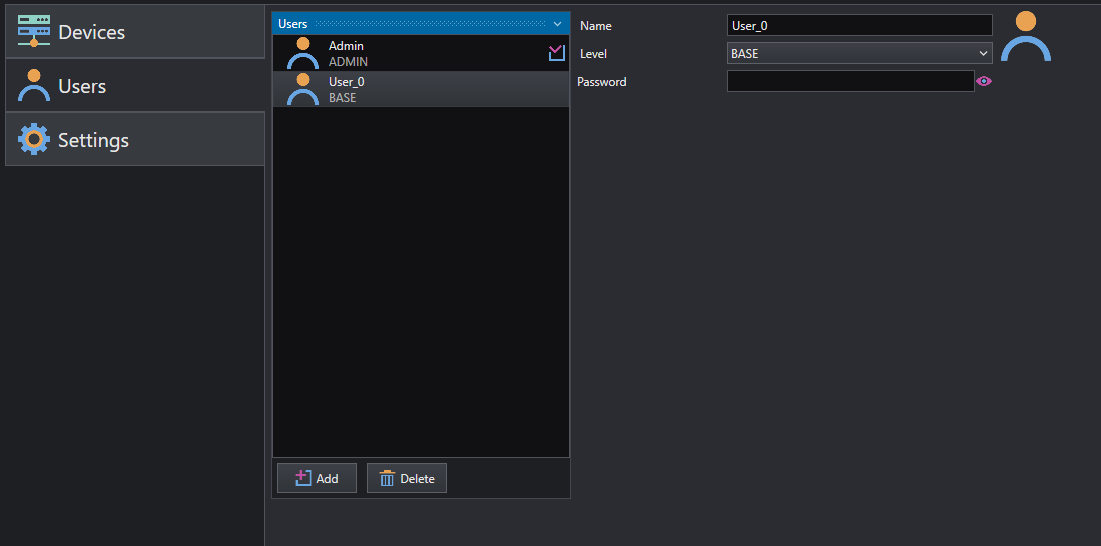
The Users Management section allows to add and delete users and to change their account data (on the bases of the actual user permission level).
The section is divided into two parts:
On the left side there is the list of all the users, with their account name and permission level, there are also two buttons: one to add users and another to delete them. On the right side there is the account data, where you can modify Name and password.
The user level can be one of the following:
-
Admin : has fully access to every settings and feature in the project; the Admin can create or delete new devices, perform actions on the Job workflow and design new HMIs. By design, only one Admin user can exists for each project; the Admin is automatically created within every new project with initial empty password and it can be modified later.
-
Editor : cannot modify System settings, but has access to other panels (Acquire, Job and HMI); the Editor is the 'programming' user, who can edit the Job's workflow, modify tool properties and design the HMI.
-
Base : has access only to HMI panel, each configuration and setting at lower level is forbidden; the Base is the 'operator' level, who can only interact with the project from the HMI designed by other users (Editor or Admin).
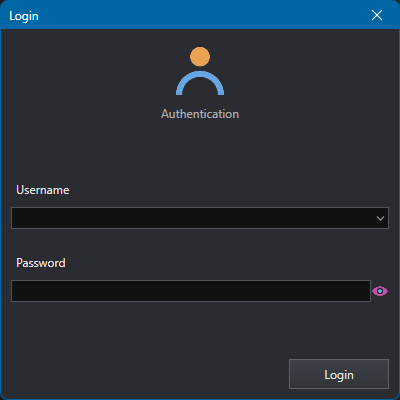
The login window, available at top-right corner of the main window, allows to switch the current user.
Users - HMI controls
When designing the HMI, it is possible to grant access to controls to specific user levels both for interaction and visibility.
Each HMI control exposes following properties:
-
AccessLevel : defines the minimum required user level to interact with the control in HMI.
-
VisibilityLevel : defines the minimum required user level to view the control in HMI.
With these properties, the user can filter, enable or disable special components of the HMI and address them to specific user: for example a settings tab in the HMI can be visible only by Admin while control parameters can be edit by Editor but not for Base user and so on.
Info
AccessLevel and VisibilityLevel are inherited by children controls, since they act on Visibility and Enable state of the control. This means that if a control (for example a GroupBox ) is hidden or disabled for a specific user, the children controls are hidden or disabled as well.