Custom Types
OEVIS® allows the user to define custom data types expanding parametrization capabilities and data organization. This feature allows, for example, to combine several data types in one single struct resulting in a simplification of project structure, access combination of values in arrays by single index without synchronize multiple arrays, and much more.
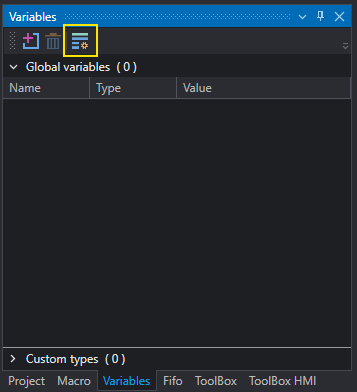
To access Custom Types definition use the Variables panel the main UI; from the toolbar it is possible to open the editor which allows the creation and editing of new data types.
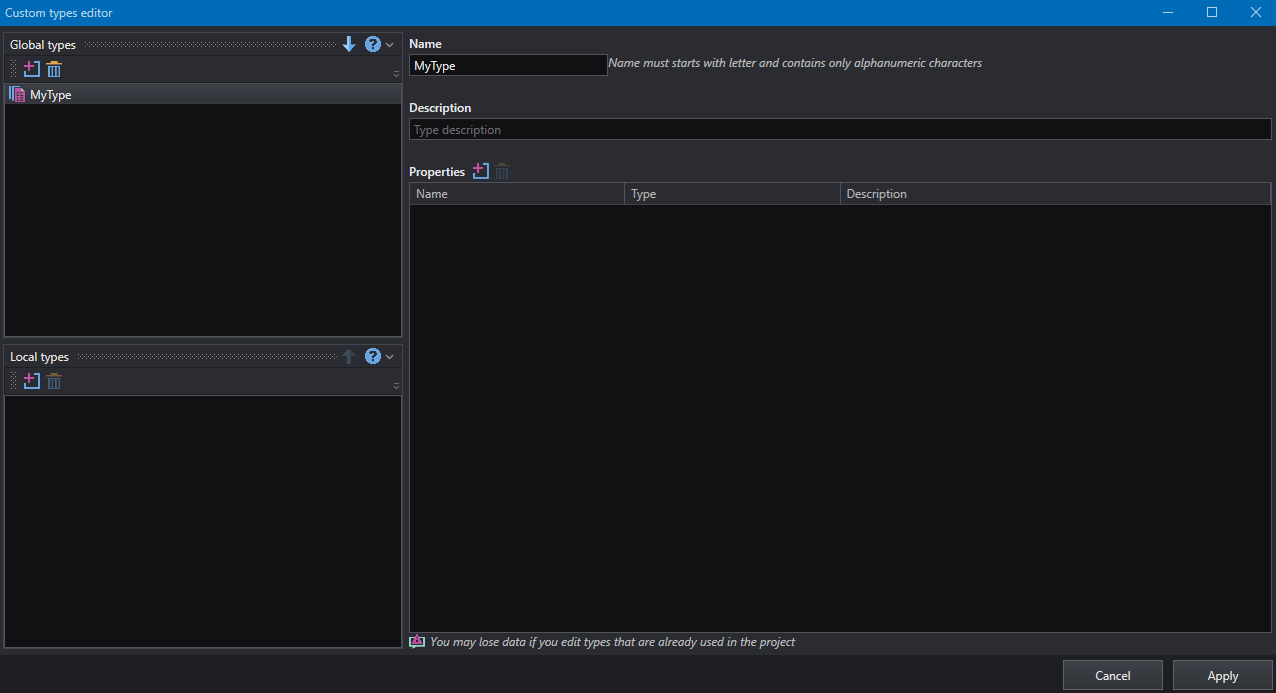
Data types can be organized in two categories:
- Global : types are defined at system level and can be used in any project and instance of OEVIS®. Use this category if you plan to reuse your custom types in multiple projects.
- Local : types are defined at project level and can be used only in current project. Use this category if you plan to use your custom type only for the current project.
To start defining a new type, simply press the Add button in the desired section.
Note
A type can be move to the other category with drag-drop operation or by using the arrows command in the tool window title.

Warning
It is good practice to define custom types in the early stage of the project development, since any update to a given type can cause data loss in a tool which is already using it.
Type definition
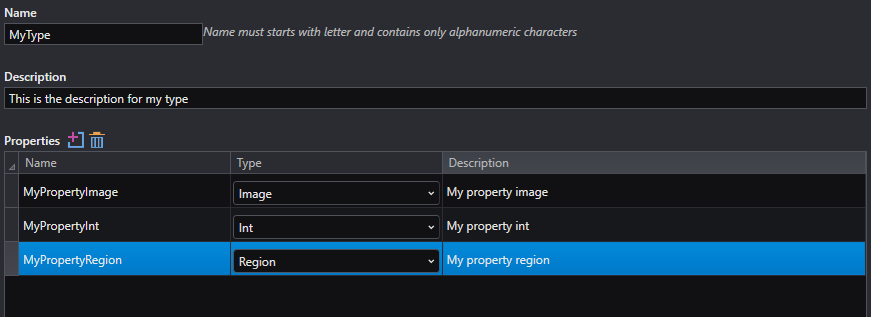
The editor allows you to fill the required field for the selected type:
- Name: defines the name that identifies the type; the name must start with a letter and can contain alphanumeric characters. The
_character is commonly accepted. - Description: defines a text which helps to describe the type definition. Description is displayed also in Property inspector when a property of corresponding type is selected.
- Properties: defines the properties that compose the type and are accessible from Property inspector and available for linking.
Programmer insight
Custom data type are implemented as a Class with defined Properties and corresponding get and set accessors, like following example.
[Description("Type description")]
class MyType
{
    [Description("Property description")]
    Int MyPropInt {get ; set; }
}
Each property is defined by following elements: - Name: defines the name for current property; the name follows the same rules for the type name. - Type: defines the type for current property; the type can be any of the available type in the system. - Description: defines a text which helps to describe the property. Description is displayed also in Property inspector when a property of corresponding type is selected.
There is no restriction on the amount of properties that can be defined for a type.
It is possible to use a custom data type as property item in a second custom type, without creating circular reference. For example, if a type T1 is defined, it is possible to define a new type T2 in which T1 is defined a one of its properties or viceversa; both combination is not allowed, see the example below:
//Following combination is allowed
//Defines a type T1.
T1
{
    ...some properties here...
}

//Defines a type T2 which use T1.
T2
{
    T1 MyProp {get;set;}

    ...other properties here...
}

//Following combination will cause circular reference

//Defines a type T1.
class T1
{
    T2 MyProp1 {get;set;}
}

class T2
{
    //circular reference: T1 depends on T2 and T2 depends on T1
    T1 MyProp {get;set;}
}
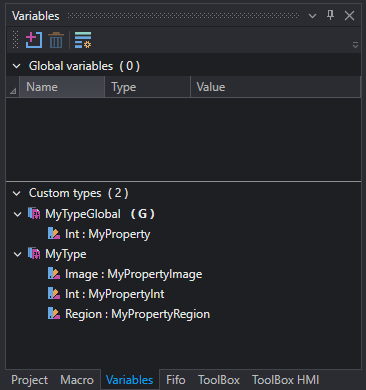
Confirm the changes by clicking on Apply button on the editor window; the newly created types are available to be used; definitions are updated in variables panel.
Note
The letter G indicates that the type is defined as global.
Array and Nullable variants
When a new custom type is defined, its variants are defined automatically as well. In OEVIS® for each type T following variants are defined:
T: the reference type.Array<T>: defines anarrayof n items ofT.ArrayArray<T>: defines anarrayof narrayof m items ofT.Nullable<T>: defines an element that can beTorNULL.NullableArray<T>: defines anarraywhose elements can be beTorNULL.NullableArrayArray<T>: defines anarrayofarraywhose elements can be beTorNULL; in this case the n-th array can also beNULL.
If a new type called MyType is defined, then following definitions are available:
MyTypeMyTypeArrayMyTypeArrayArrayMyType? (Nullable)MyType?ArrayMyType?ArrayArray
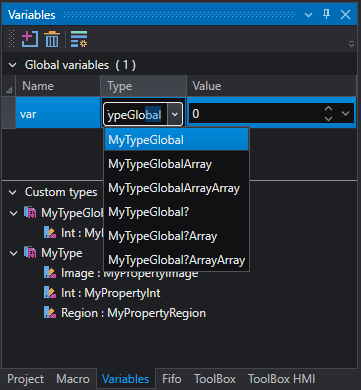
The variant definition is extended also for inner properties to respect the type consistency.
Note
The variants of type are limited based on type inner properties definitions. This means that if MyType contains a property of type Array only MyType and MyTypeArray can be defined (and their nullable definitions); on the contrary, if MyType contains a Nullable property of any kind all nullable definition of MyType cannot be defined ( MyType? , MyType?Array , MyType?ArrayArray ).
Editing a Custom Type
If a Custom Type is used in the project , for example as a variable or by a tool, and you edit it in a second moment the changes will be recalled on any instance in the project. Depending on the affected item, different warning may appear to recall user attention on a particular case and ask to be resolved; this is done to ensure the integrity of the project after changes are applied.
A list of possible situations is described below:
-
Global variable : the variable is recreated with the same name according to new definition, or deleted if type definition has been removed.
-
HTTP Server variable : the variable is recreated with the same name according to new definition, or deleted if type definition has been removed.
-
Generic Tool : the generic tool (ex.
Array.SelectAt<>,Serialization.ToJson<>) is recreated with new generic argument type, or deleted if type definition has been removed. In the first case, links are preserved where possible of marked with a Link issue that must be reset manually by user. If the tool is removed, a place holder is inserted in the tool position and user must take actions. -
Macros : the parameter is replaced with the new definition, or deleted if type definition has been removed. This can cause Link issue for other tools that were linked to that parameter.
-
FIFO field : the field is recreated with the same name according to new definition, or deleted if type definition has been removed. Fifo tool like
Push,PopandPeekare affected with the same behavior. Link issue could appear for linked tools.
Note
The Link issue state is often used in these cases as a warning state; this means that if the tool or parameter has been compromised by new definition or its behavior is uncertain it is safer to reset it and assign a new value.
Example
We can now try to edit some custom types definition and see the behavior.
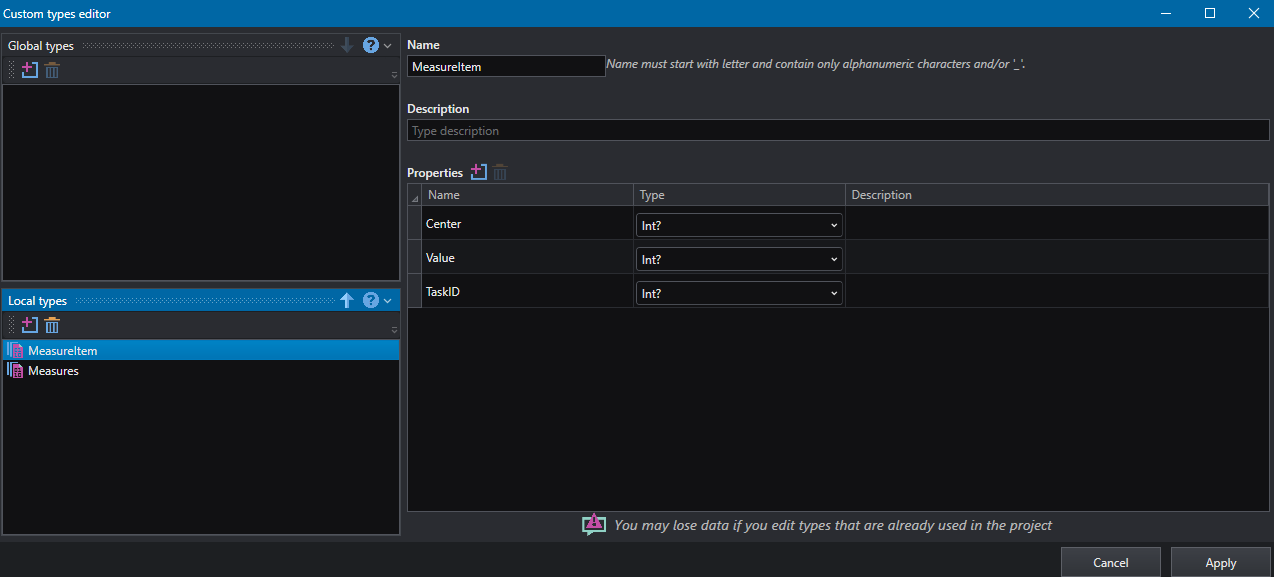
First, we try to delete the MeasureItem type. We can se the editor prevent us to continue since Measures depends on MeasureItem.
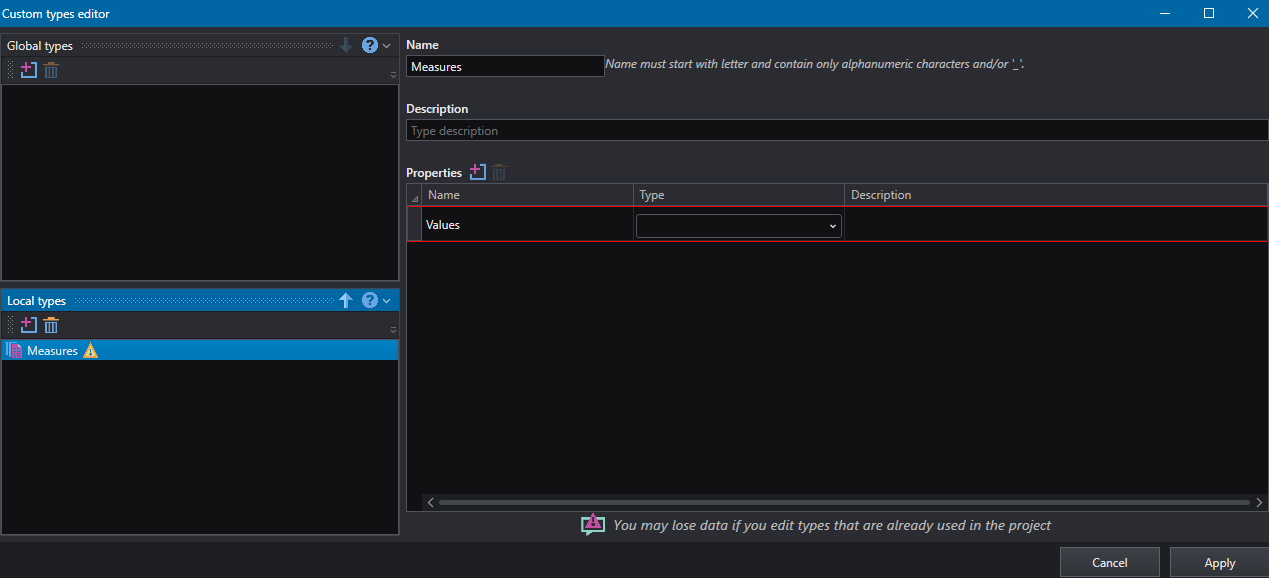
We now rename MeasureItem into MeasureElement and edit the property to not nullable types.
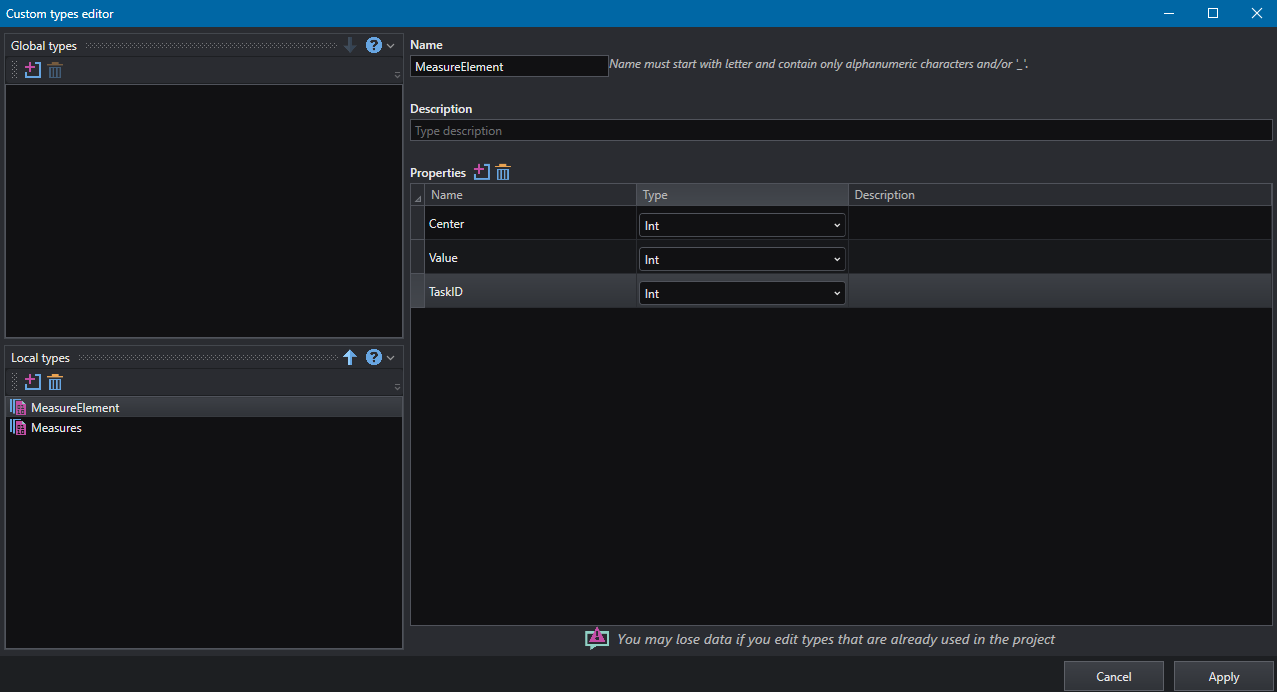
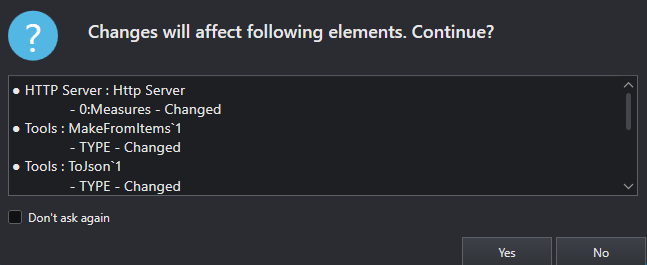
When we apply the changes, a message box appear to ask for confirmation reporting the list of items that will be affected by user changes.
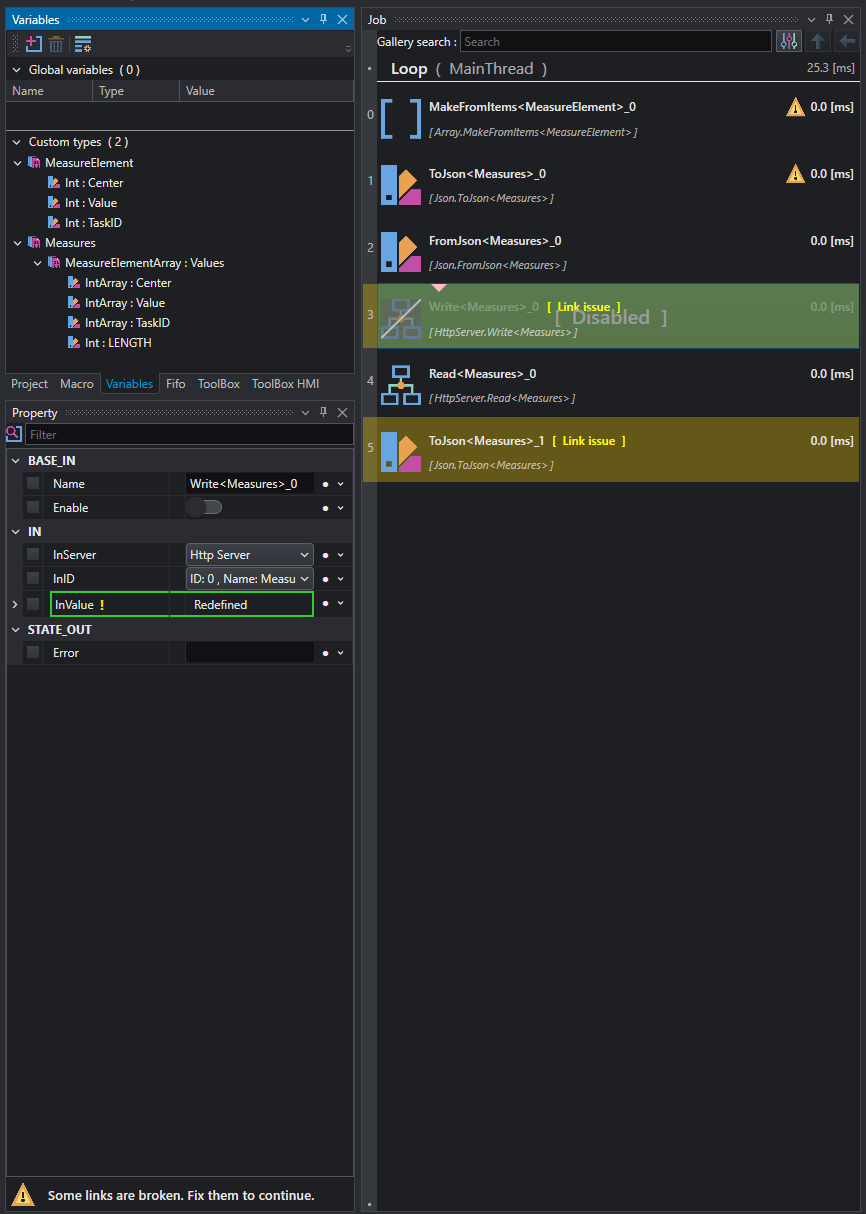
The project has been updated and tools that need attention are marked.
Danger
If custom type are displayed in any viewer container and they are modified in a second moment they will be removed and must be recreated.