Shapefitting
This example shows how to perform basic shape fittings lice FitCircle and FitSegment on an image.
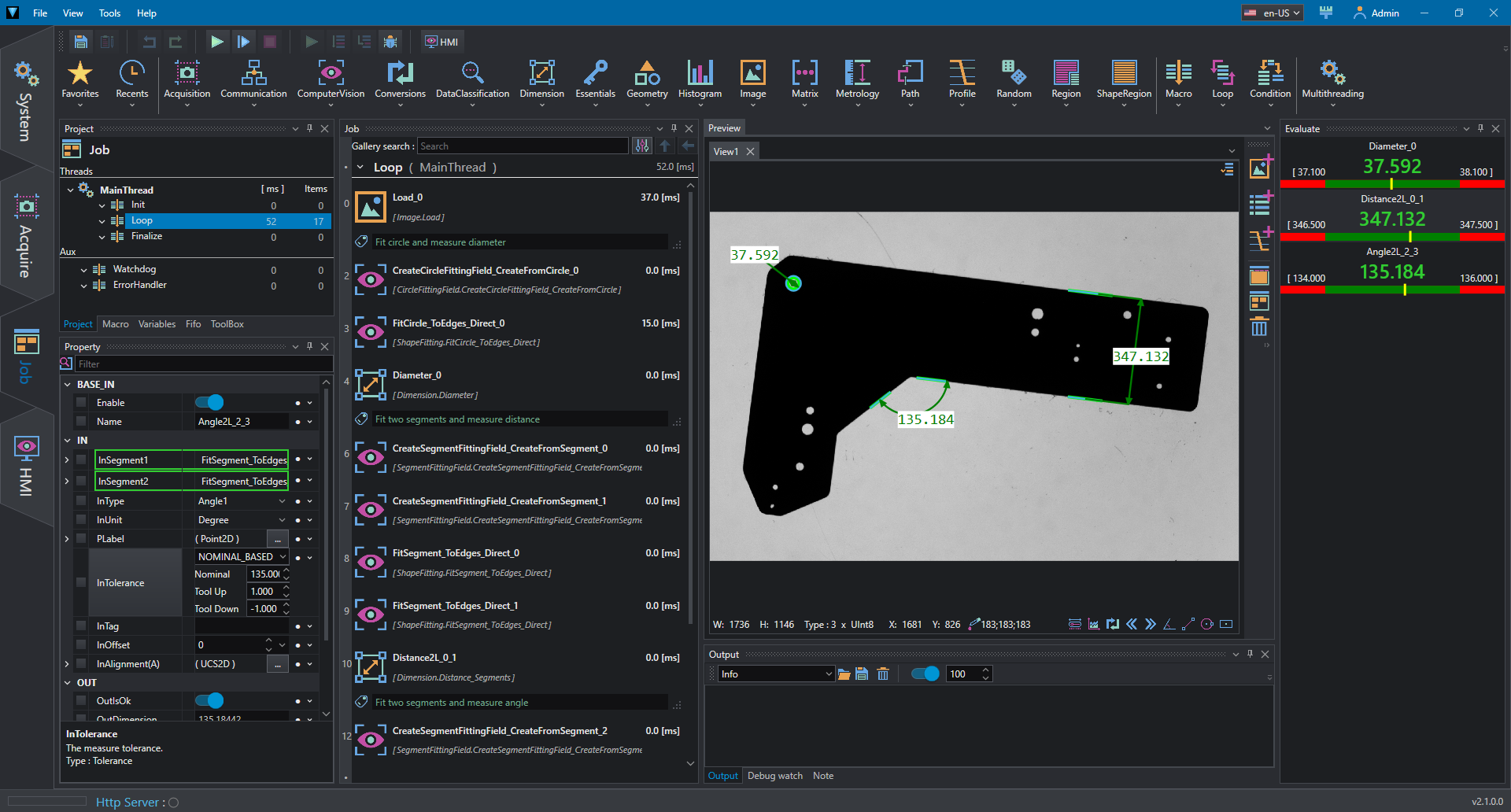
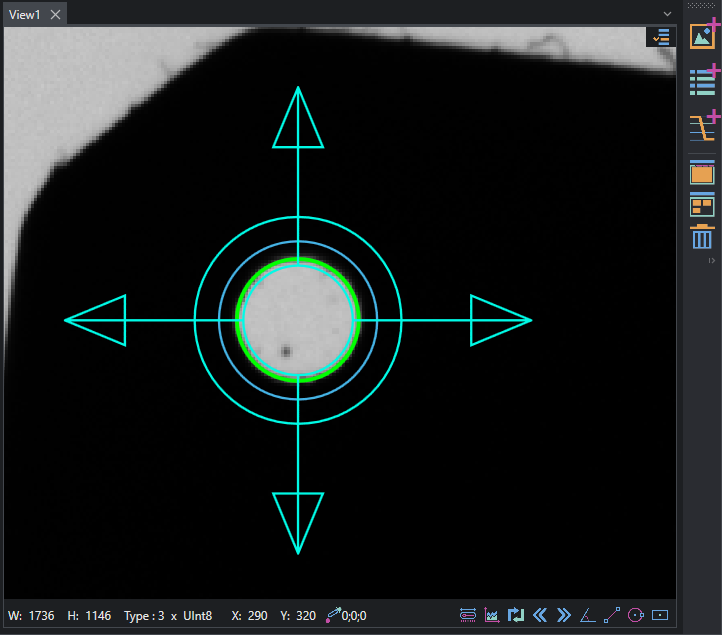
First, we need to create shape reference to create a fitting field where the actual shape is fitted; to do so we can use CircleFittingField and SegmentFittingField and inserting the shape values to specify the locations. Then we can pass the created FittingField to the Fit operation; in this example we are fitting one circle and two pairs of segments that are used to measure diameter, distance and angle respectively.
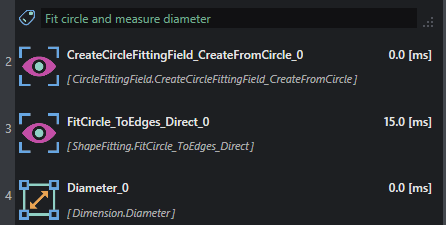
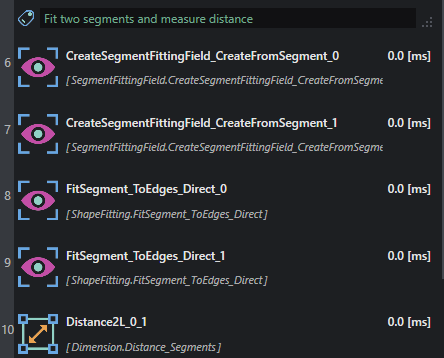
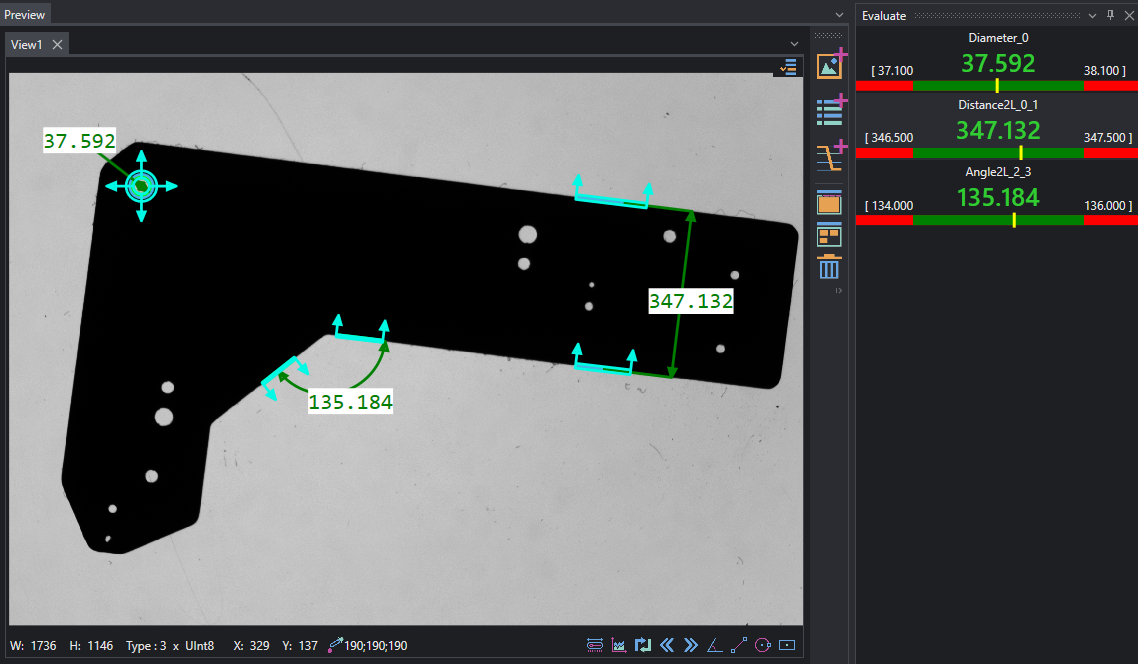
The result is a collection of circular and rectangular regions where calculation are performed around a specific shape; the fitted result are displayed in green and obtained with FitCircle_ToEdges_Direct and FitSegment_ToEdges_Direct.
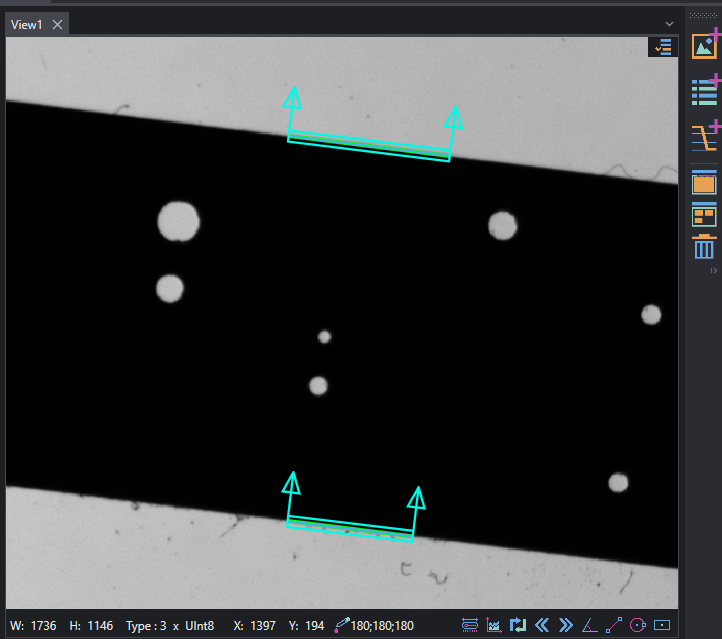
To complete the example metrology tools are inserted to extract measurements, in pixel : Distance_Segments,Diameter,Angle_Segments.