Task Macro Action
This example shows hot to use Macro and Action to perform particular tasks and recall them at any point of the loop.
The output of ImageTest is passed to the macro GetRegionArea via the variable in IN_DYNAMIC.
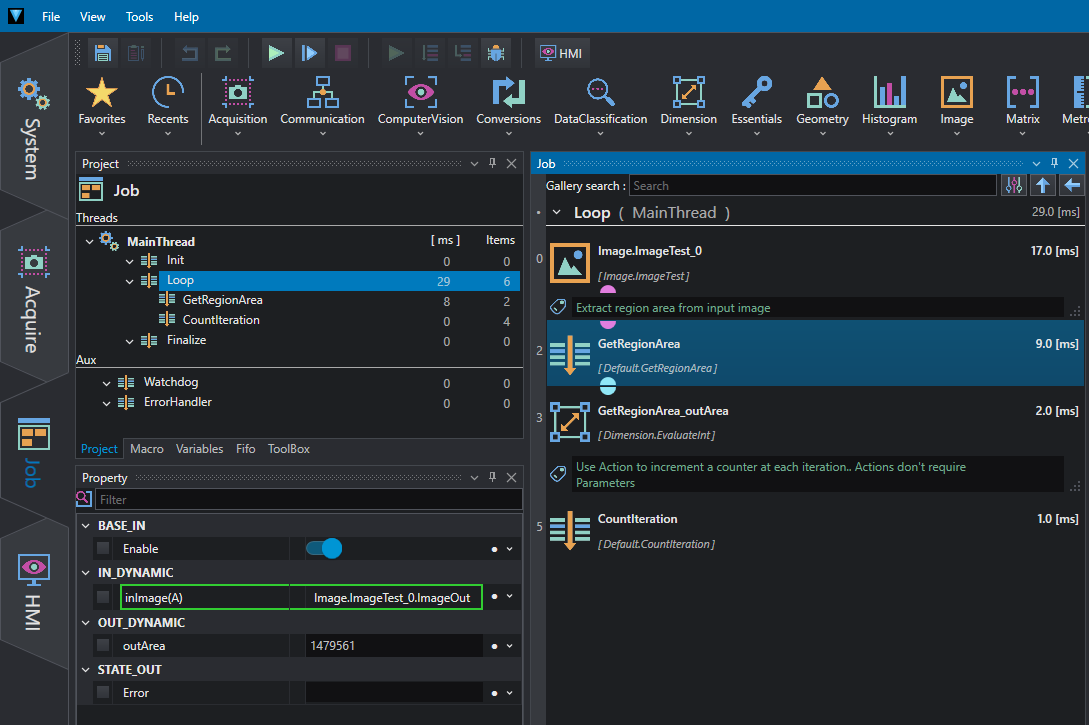
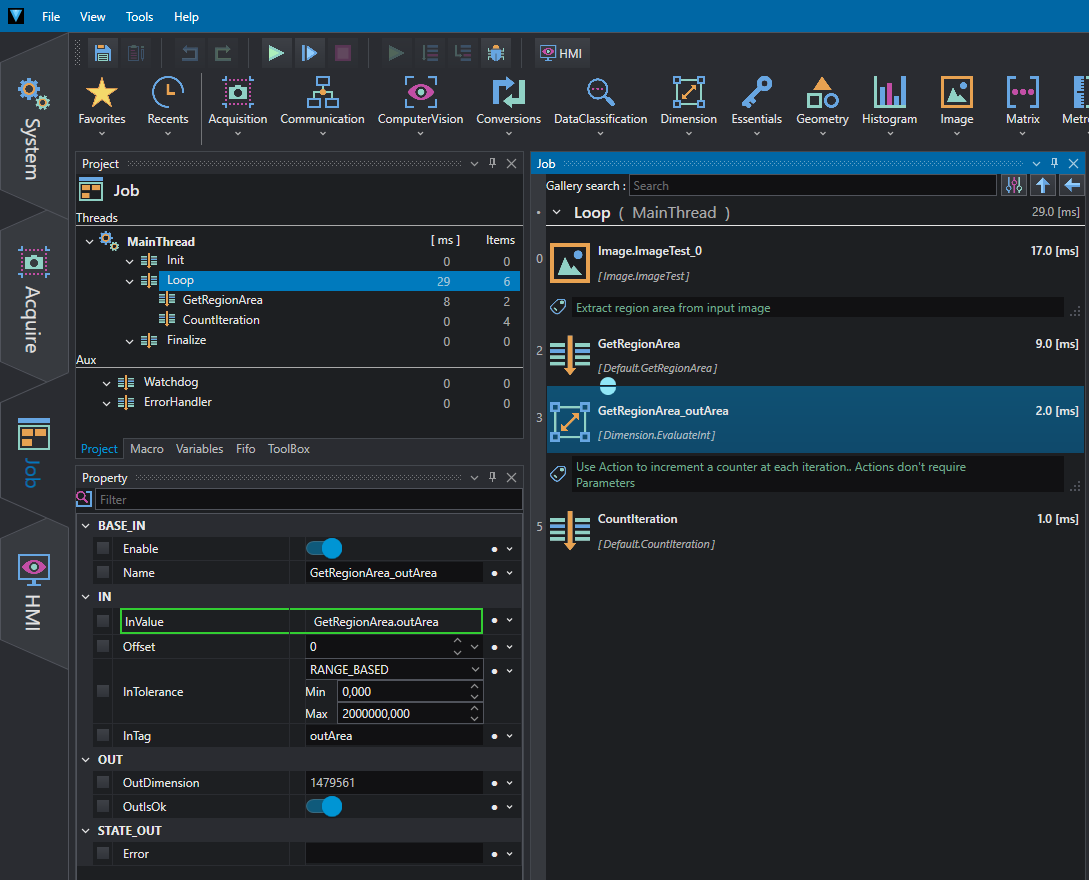
At the end of the instructions in the macro, the output value is returned via OUT_DYNAMIC and passed to EvaluateInt.
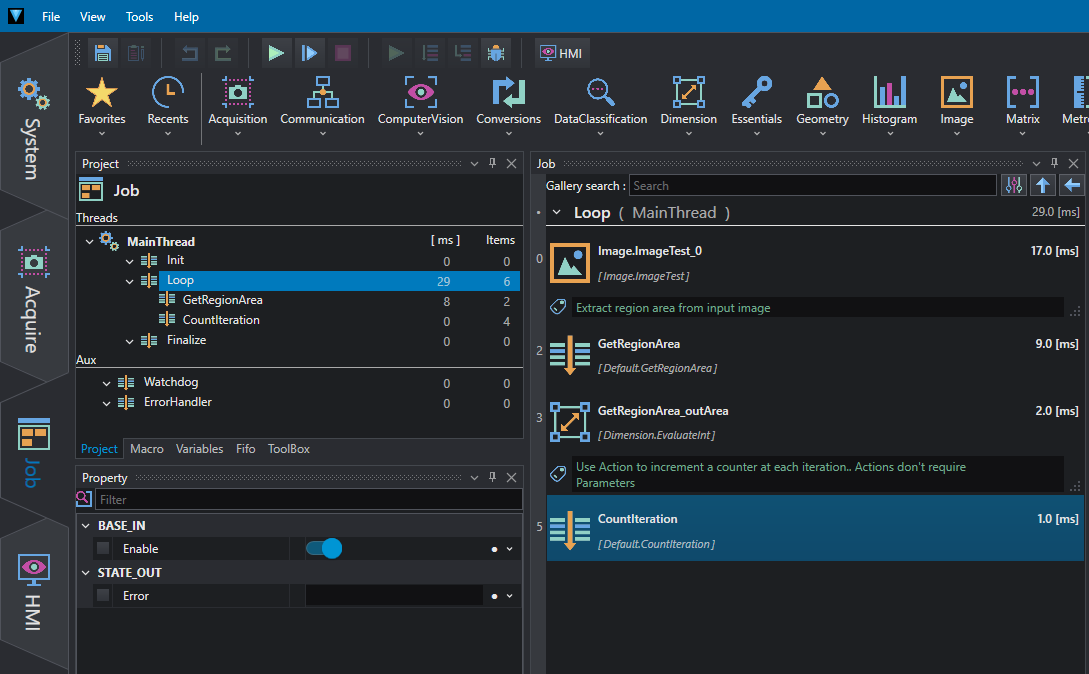
Action CountIteration closes the loop and, as such, does not require parameters.
Macro
GetRegionArea macro calculates the region area (dark pixels) in the input image.
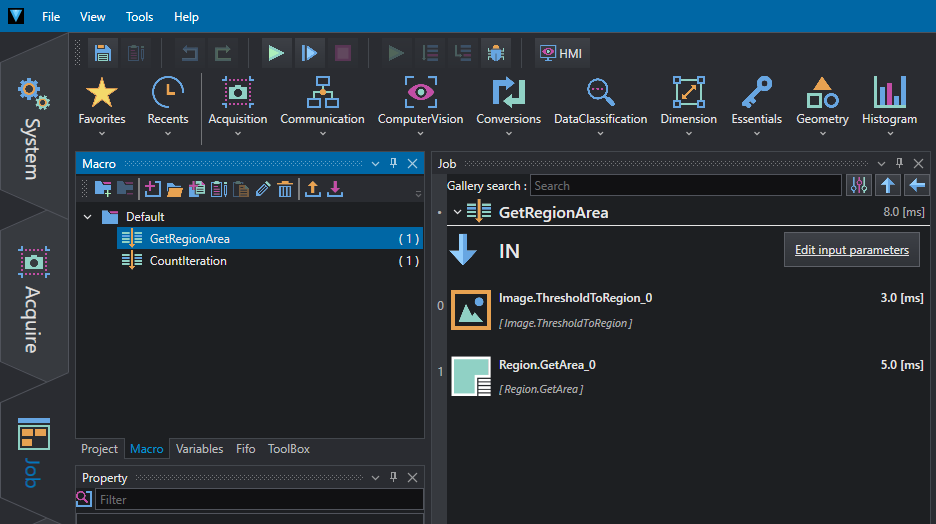
To modify the IN input or OUT output variables, select Edit input parameters.
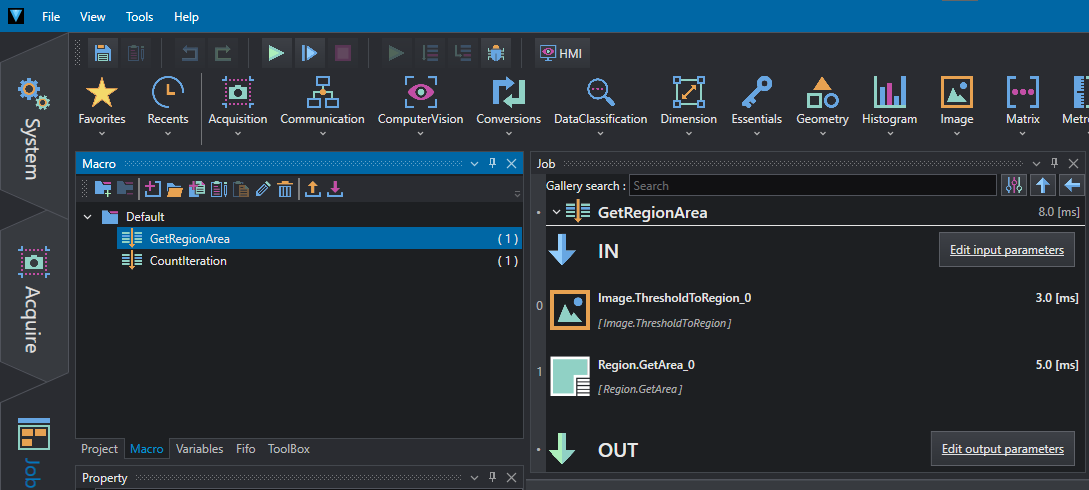
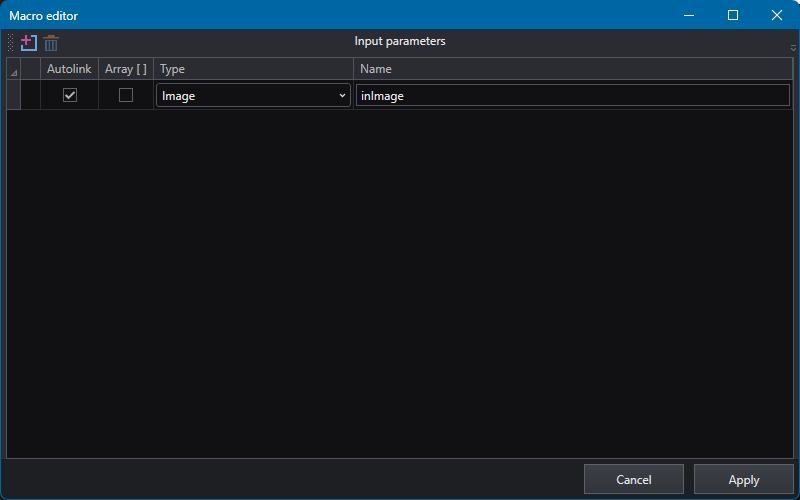
This will open the editor window, which allows you to add/remove variables.
Action
CountIteration action use a global variable to build a message with incremental counter.
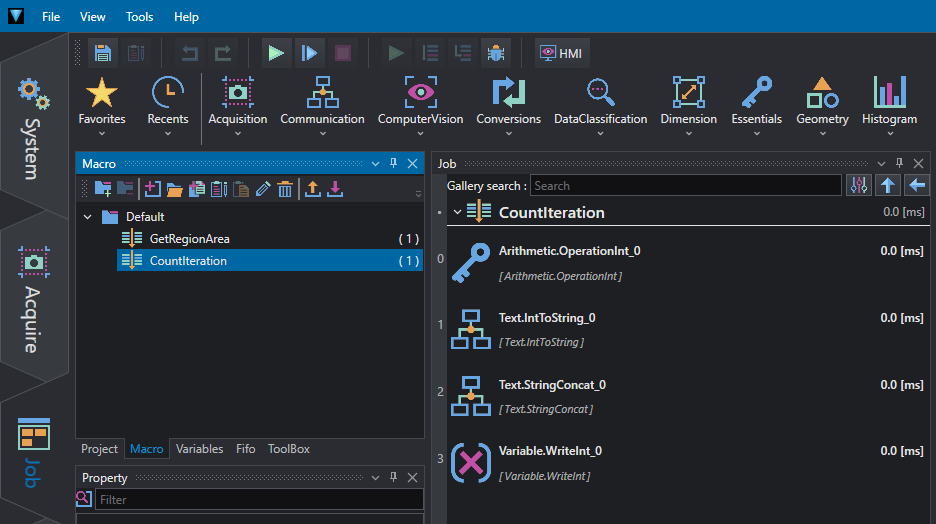
Actions are a kind of Macros without parameter (IN / OUT) and are particularly used for tasks like changing variable states or send commands.