Multithreading
With multithreading you can add one or more threads to the main one.

The synchronization behavior of the threads is decided by the Multi Thread Behavior setting, available in the panel System/Settings.
Each auxiliary thread is composed of the same three main sections Init, Loop, and Finalize as in the main thread. The behavior of these sections is conserved in the auxiliary threads.
Each thread works in parallel and independently from other threads. To safely exchange data from one thread to another you can use FIFO queues.
Warning
Even if using variables to exchange data between threads could be possible, it is strongly unadvised, due to the possibility of race conditions. Race conditions can arise when a consumer is trying to read a value which is concurrently being written by another thread. This could lead to undefined behavior during execution.
Using the Essentials/Fifo tools you can interact with the queue with the following three functions:
- Peek: read and leave the first available value in the queue.
- Pop: read and pop the first available value from the queue.
- Push: write the value to the queue.
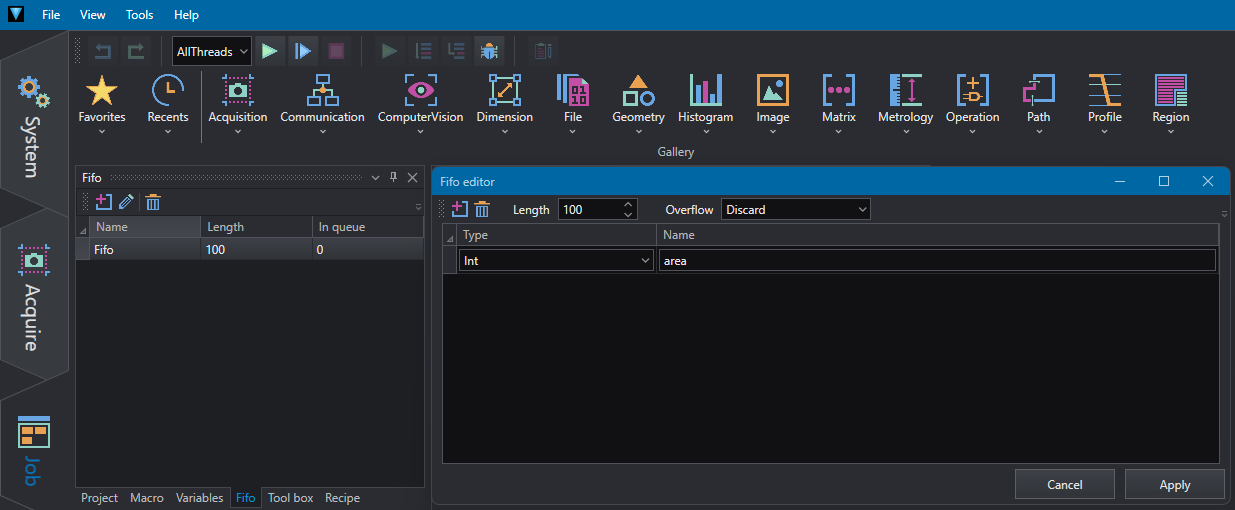
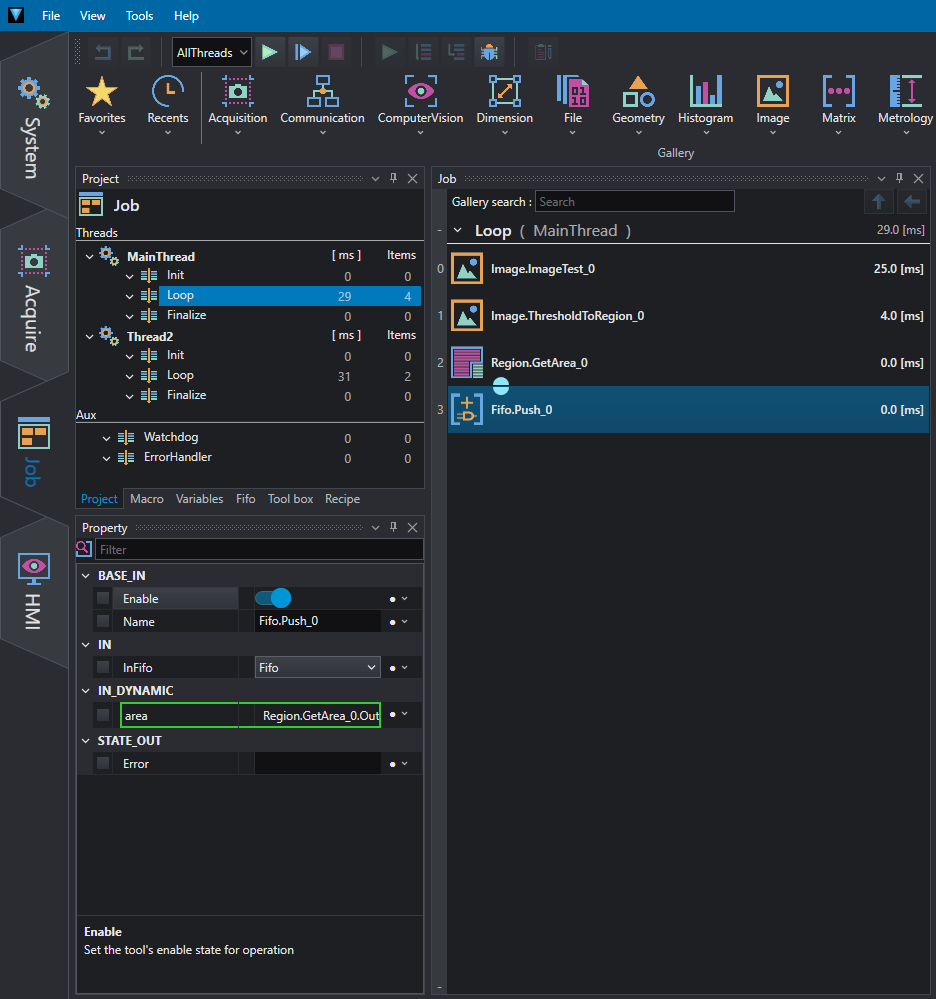
In the example below the result of GetArea in MainThread is inserted into the Fifo queue:
At the same time, Thread2 reads its value and passes it to the next instruction.
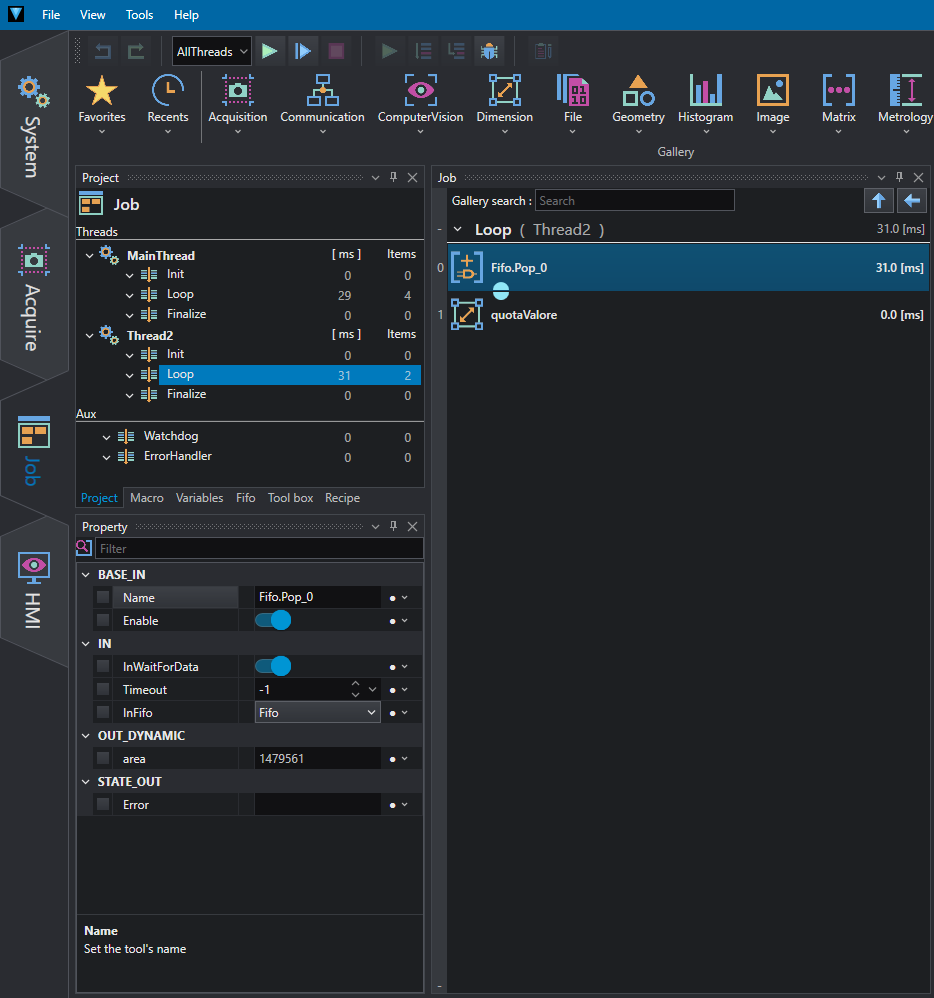
If the Pop tool is set to infinite timeout (0), Thread2 is locked from execution until a value is pushed into the queue.
Programmer insight
You can use FIFO queues to implement mutual exclusion between threads and operate thread-safe operation on data.