Script
OEVIS® integrates .NET/C# scripting functionalities which allows user to code custom elaboration and logic by using the tool Script. This tool provides access to the native computer vision library oevislib.net and allows full interoperability with all other tool in the Job through Inputs/Outputs properties. The user can use the script,for example, in the following scenarios:
- access the oevislib.net functionalities to create custom algorithm.
- manipulate data using loops and conditions provided by the language.
- reduce the complexity of the workflow by integrating advanced logic into one single tool.
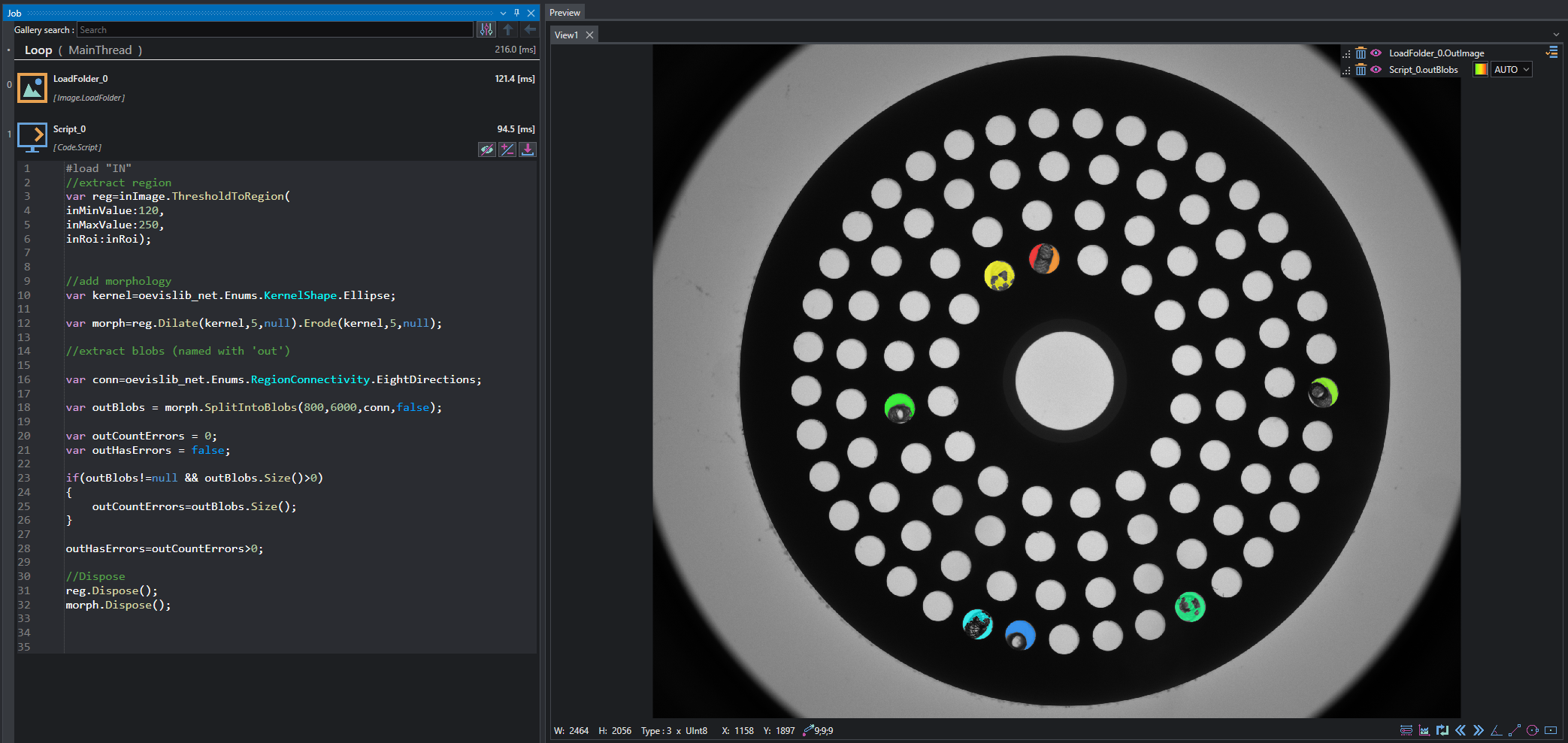
The tool presents three buttons at bottom-right side, used for:
- Show/Hide the integrated code editor.
- Open the Input properties editor.
- Build the script.

Edit Inputs / Outputs
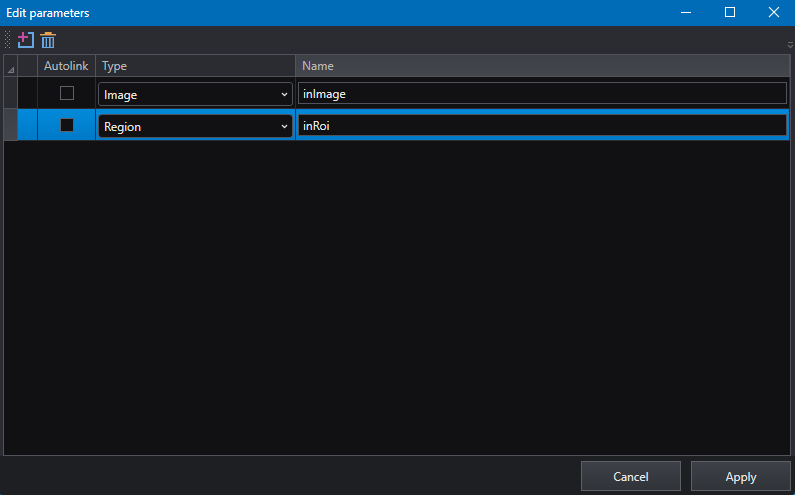
The button  opens the property editor where inputs can be defined for the current script.
Note
The directive #load IN imports the input properties in the script in order to make them usable in the code. This line cannot be edited or removed.
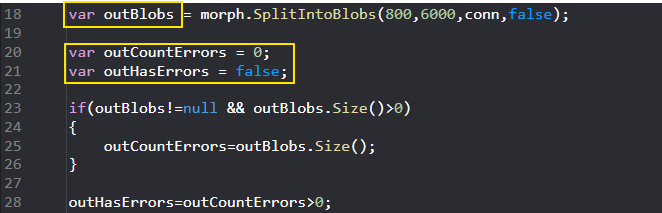
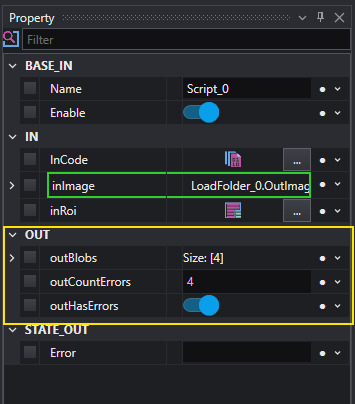
Outputs are defined automatically from the variables declared in the script body: conventionally, every variable which starts with out is considered an output and it will be added to the tool output category.
In-Job code editor
The Script tool comes with an integrated code editor which allows to see and modify the code directly in the Job view even if multiple script are used in the same Task.
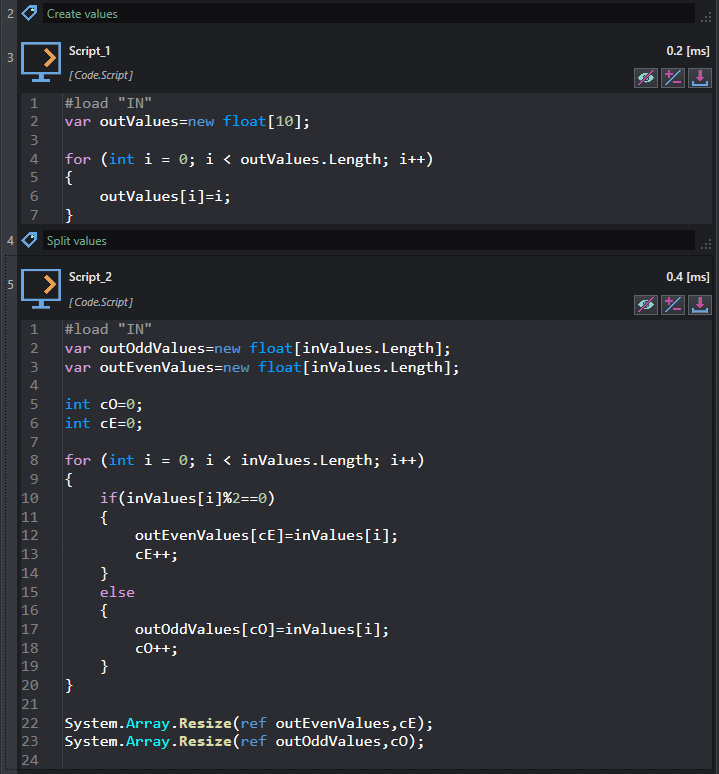
The code editor visibility can be changed by pressing the button  .
.
Full code editor
The full code editor can be opened through the property InCode in the Property inspector. The code editor is opened in a dedicated window, providing a more comfortable environment when editing complex code; the opened window provides also the output log which displays the build result.
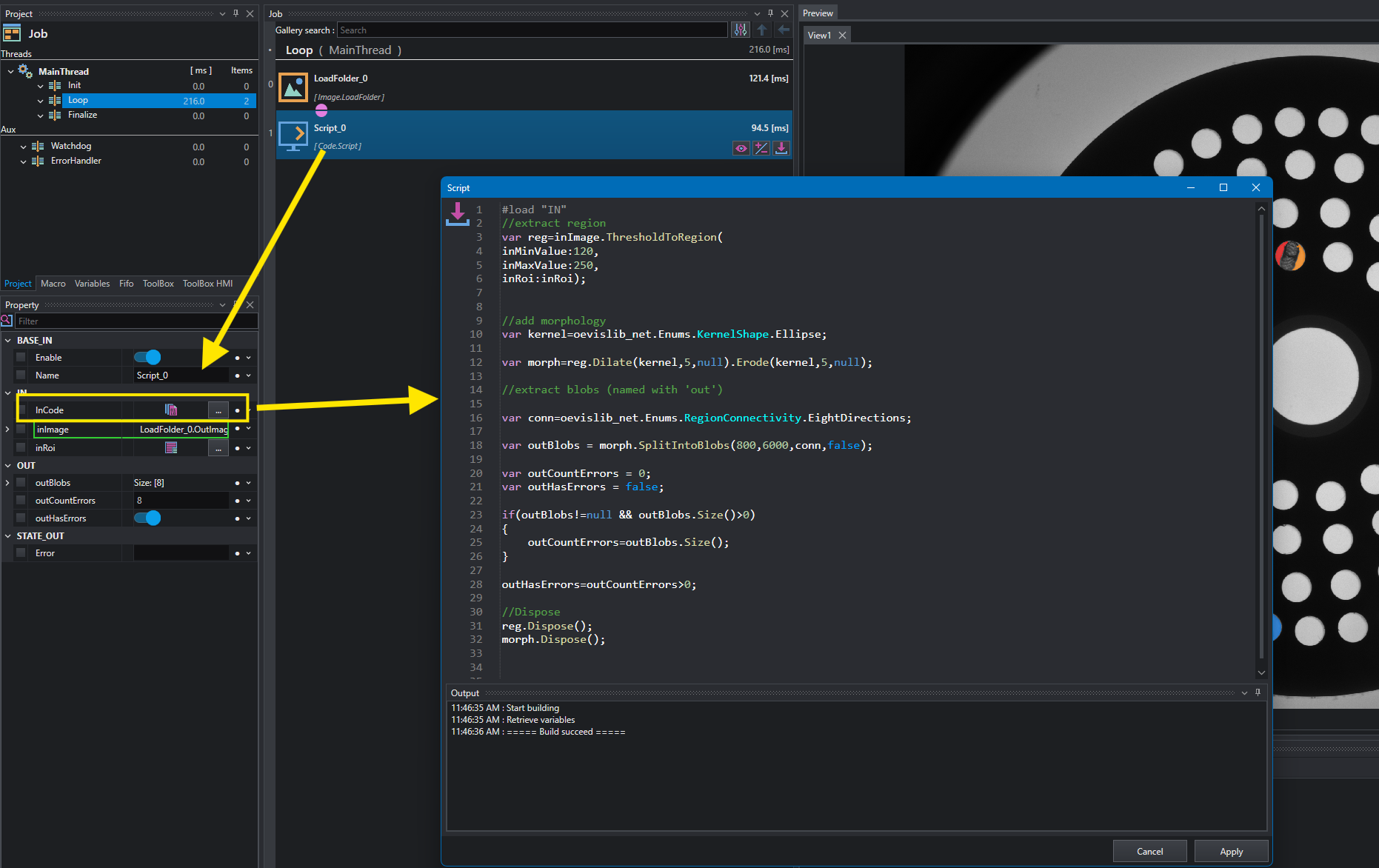
In any case, the script must be build in order for changes to take effect; the  button starts the building process and, if everything is correct, the output properties are updated.
Note
If you load a project containing a script, the script is rebuilt automatically.
Warning
If a script has been edited but not built yet the tool will display an error at execution time.
To get details about OEVISLIB .NET programming reference, see the library documentation .