Camera
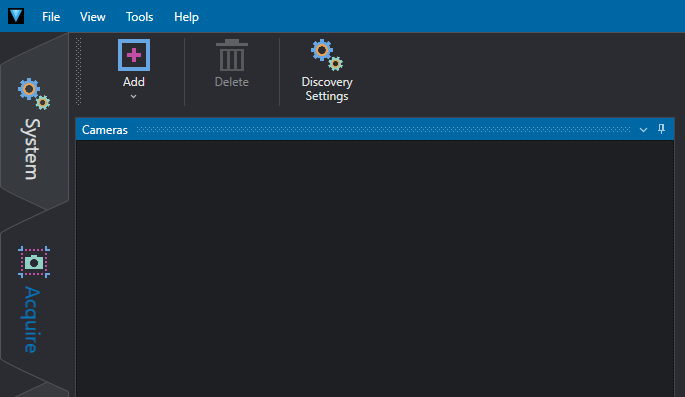
The Cameras section contains all the cameras added to the project and available to be used in the Job section as an acquisition tool.
Add / Delete buttons
Use Add / Delete in the toolbar to add or delete a camera. When clicking on Add, a pop-up is opened to let you choose how to connect to one:
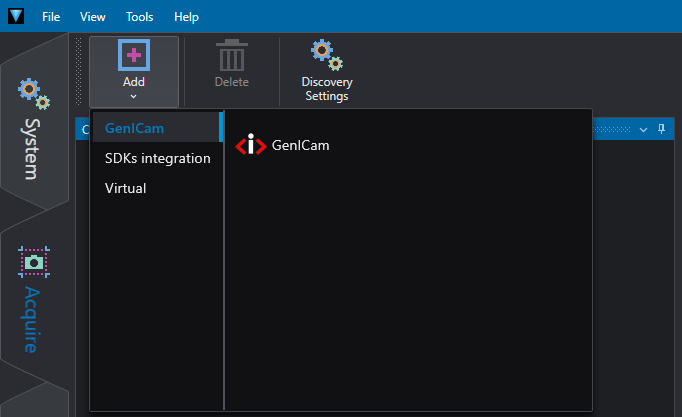
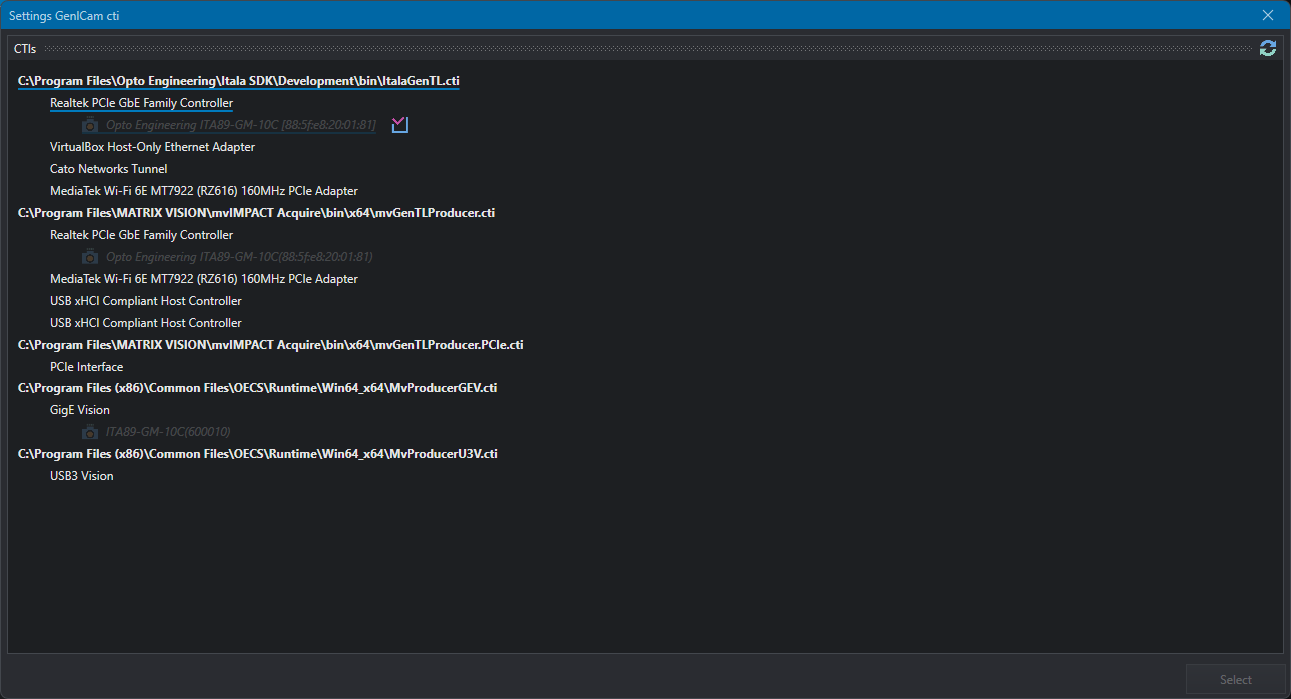
- If you choose to use the GenICam standard, the list of all the available CTIs installed on the PC with the found devices will be shown: select one to open it. The acronym CTI in a GenICam camera refers to a Camera Transport Interface file. These CTI files contain specific information for communication between software and the camera via the GenTL (GenICam Transport Layer). For more details, look into the GenICam standard section.
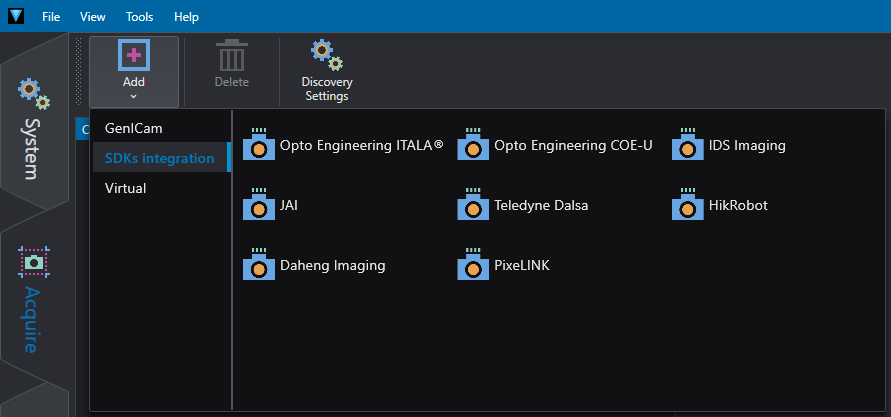
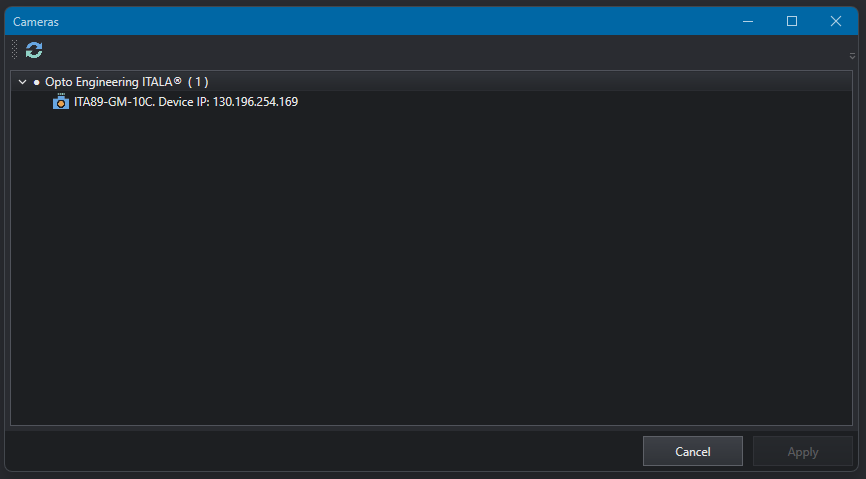
- If you instead choose to use the integrated SDKs, you must first decide which one to use and be sure that it's installed on the PC. After selecting it, the list of all the compatible devices will be shown, allowing you to choose which to open. Look into 3rd parties SDKs section for the more informations about which SDKs are supported and why.
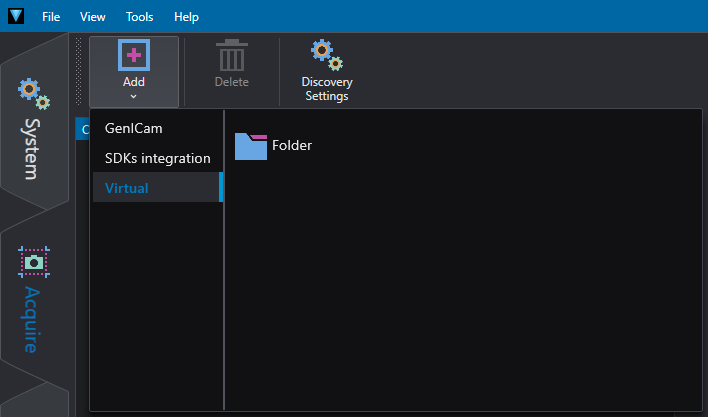
- Last, but not least, if you choose to use a virtual camera, you need to choose a folder from which the images will be loaded.
Once the camera has been added, you can rename it as you please, as well as try to change the SDK in use (if with one of them has been opened). You can also use the two buttons on the right of the name of each added cameras to connect it and start acquiring images to get a preview on the Camera Visualizer panel on the right of this section. With the third button you can reopen the the camera selection panel in order to assign a new camera to the device object.
Discovery Settings
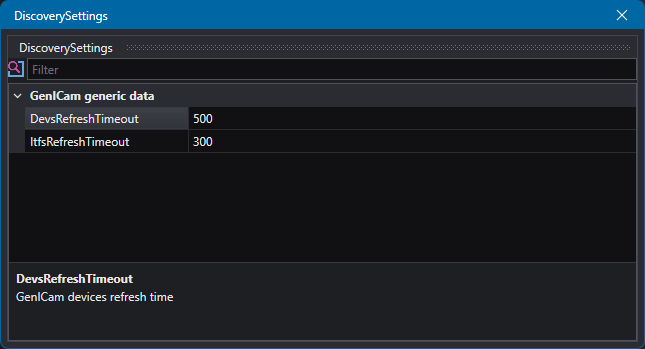
In Discovery Settings, you can modify the GenICam cameras discovery parameters:
- Device Refresh Timeout: milliseconds of timeout in the response when searching for devices within the single interface (e.g. cams on a network port).
- Interface Refresh Timeout: milliseconds of timeout in the response when searching for interfaces (e.g. network card).