TCP
Server
This example shows how to start a server using TCP connection and read a simple message.
Server is running on local machine, you can user Tcp Client project in example folder to send a message.
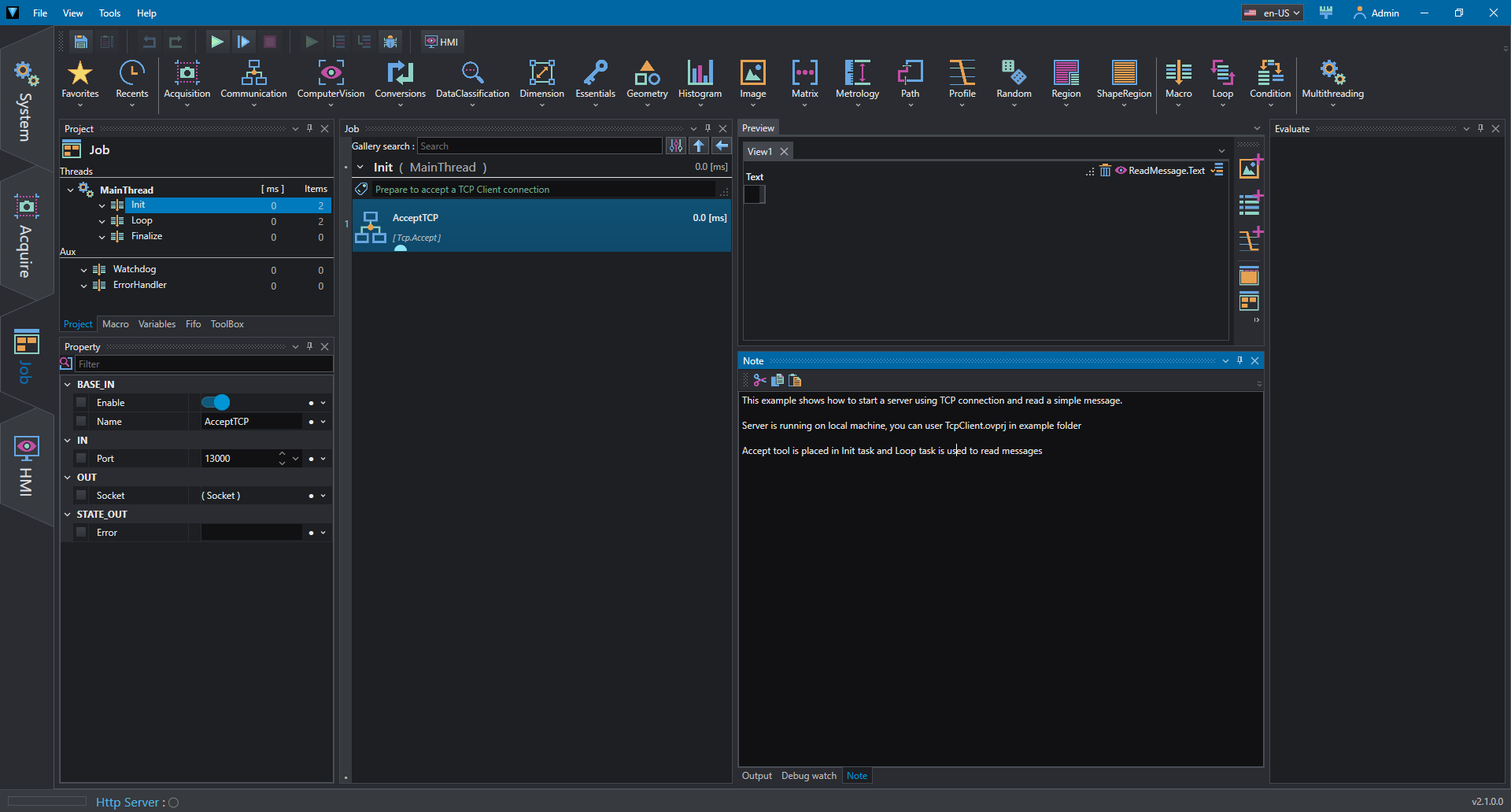
AcceptTCP tool is placed in Init task and initializes the server to listen.
IN Property:
- Port: port to listen.
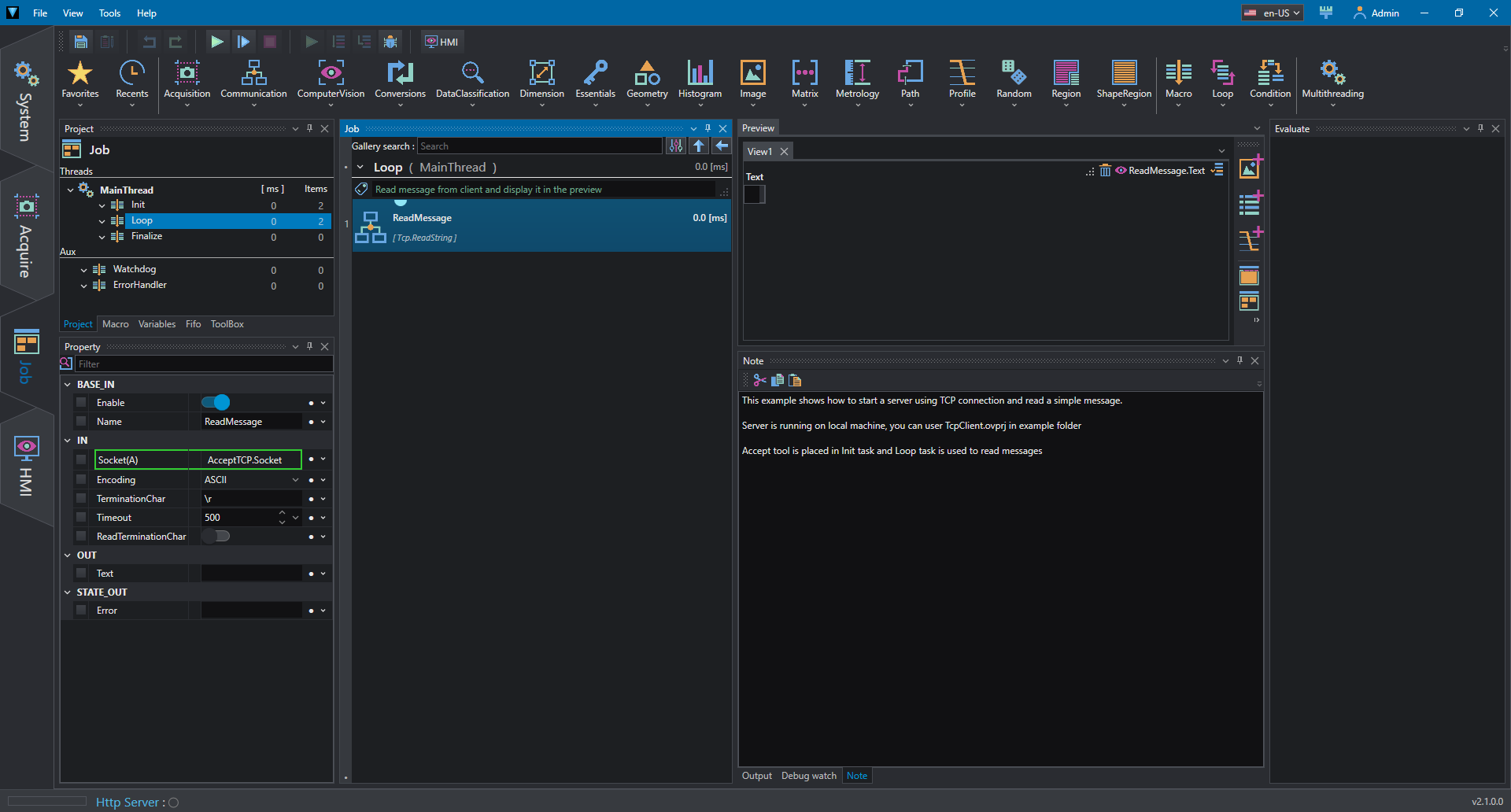
Loop task is used to read messages tool. The value is also published in the preview.
IN Property:
- Encoding: encoding mode of string (ASCII, UTF8, HEX).
- TerminationChar: termination value of string.
OUT Property:
- Text: the read string.
Press Run to run the nonstop reading.
Client
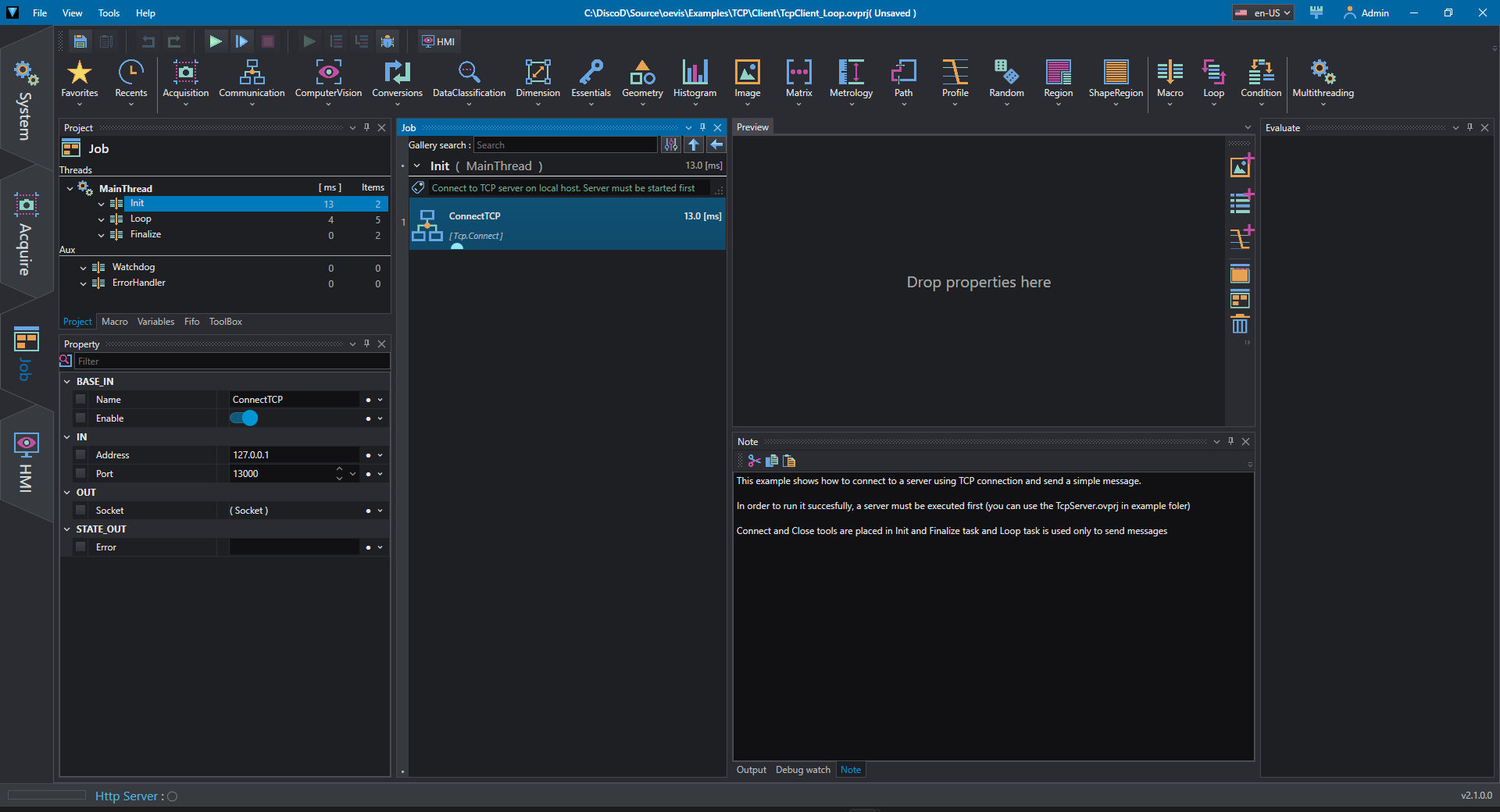
ConnectTCP tool is placed in Init task and connects to the server.
IN Property:
- Address: server ip address.
- Port: listening port in the server.
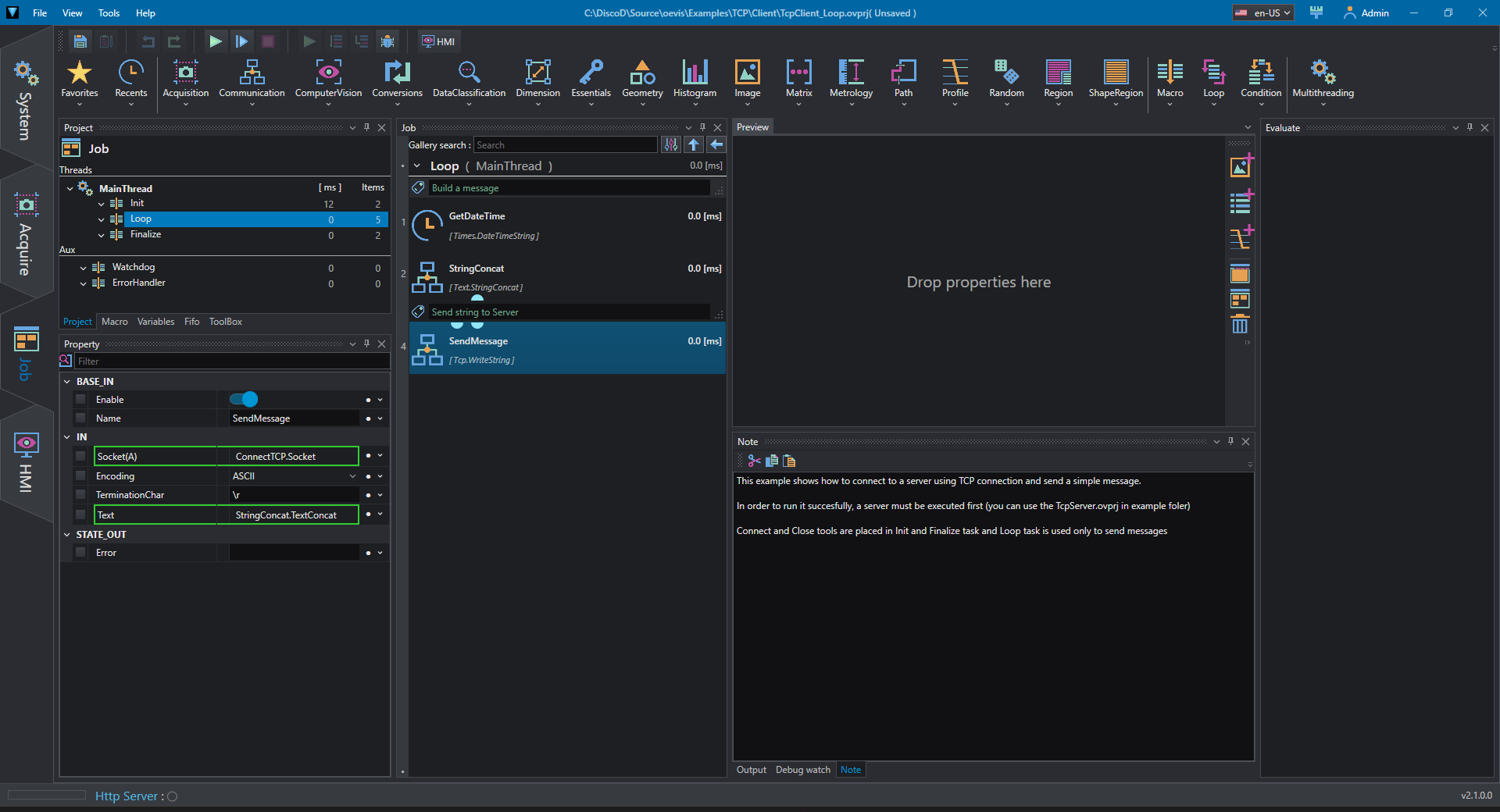
In the Loop section we create a composite string with the current time and send it to the server with SendMessage.
IN Property:
- Encoding: encoding mode of string (ASCII, UTF8, HEX), must match the same value set in the server.
- TerminationChar: termination value of string, must match the same value set in the server.
- Text: text to send to the server.
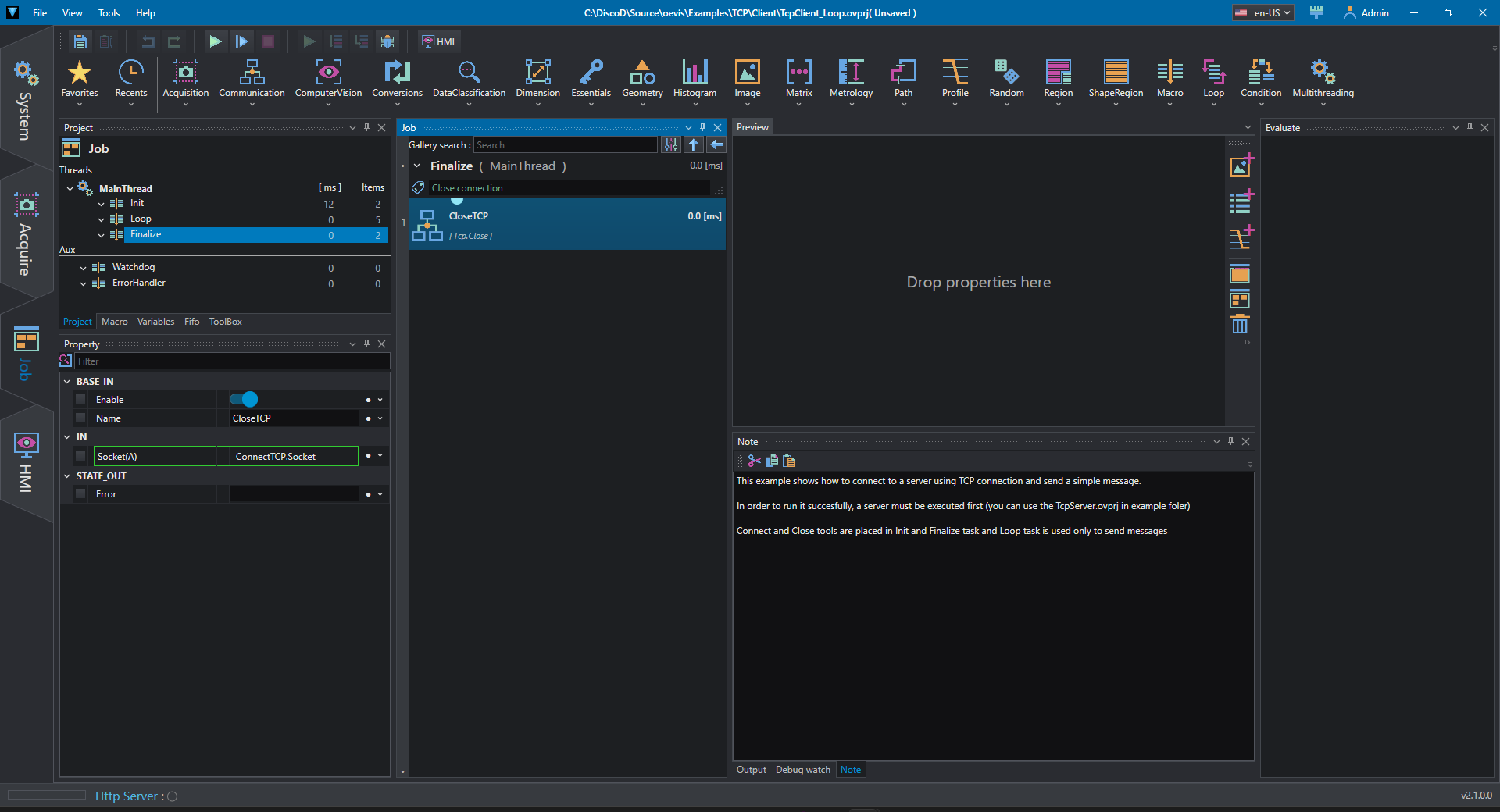
In the Finalize section we close the connection to the server.
Note
It is necessary for this project to work to be also in RUN mode, because the server's cyclical reading mode would reset the result after the reading of the first single submission.