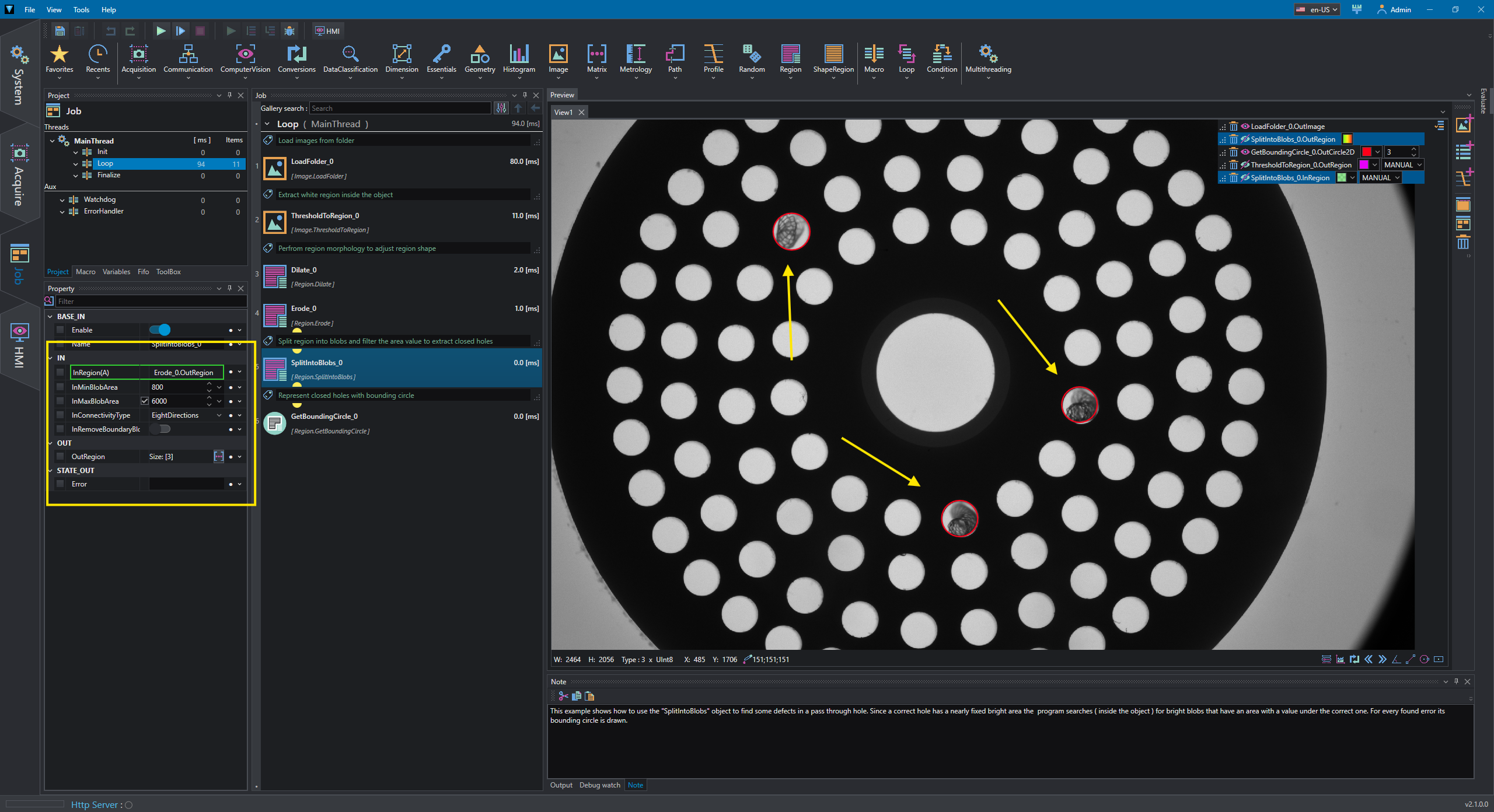
Blob detection
This example shows how to perform a blob detection operation using Region tools such as thresholding, morphology operations and filtering. The task is to find the closed holes in the object.
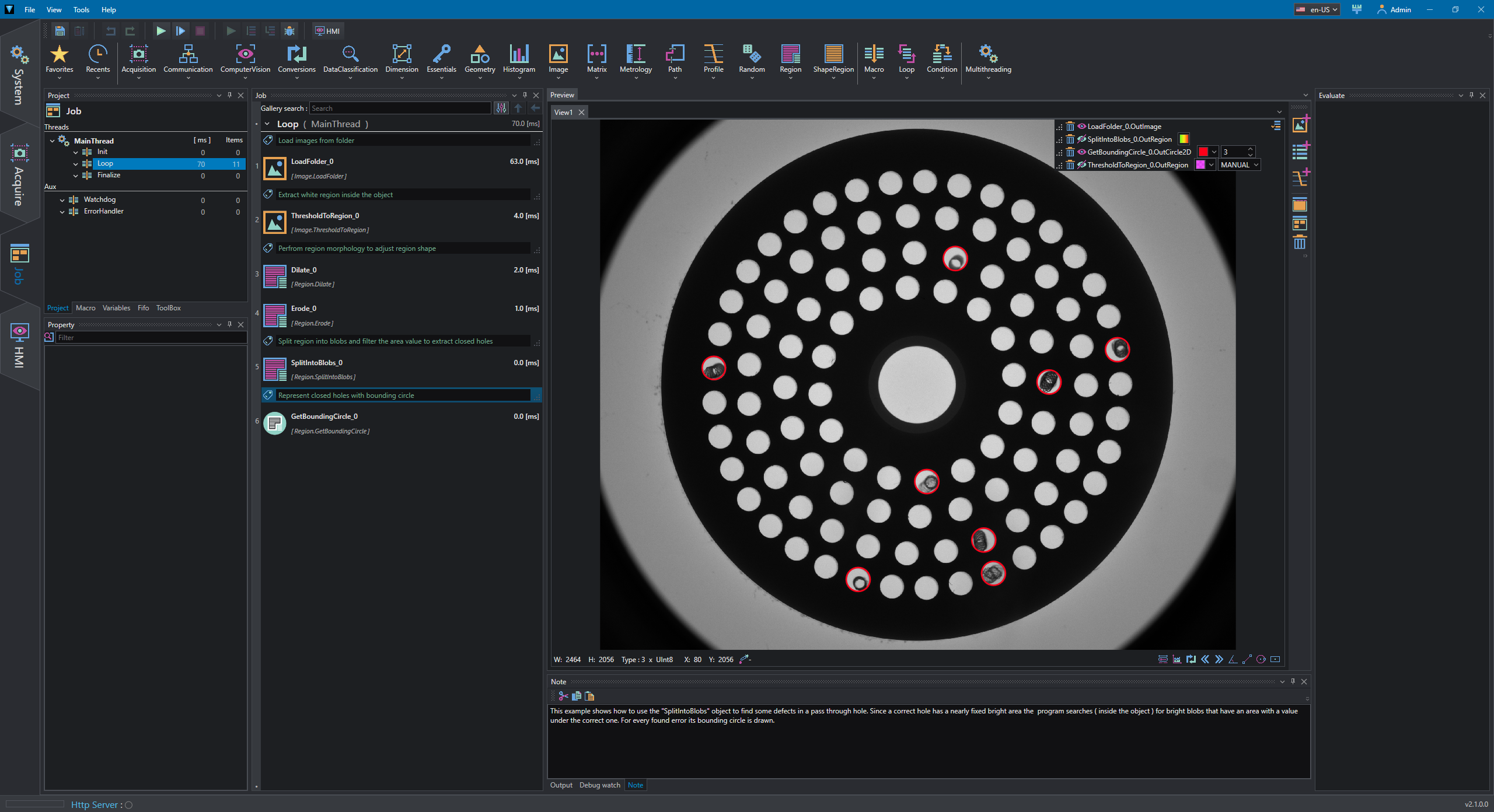
Images are load from a folder using LoadFolder and ThresholdToRegion is used to extract bright region inside acquired object; a circlular ROI is also defined to optimized the process.
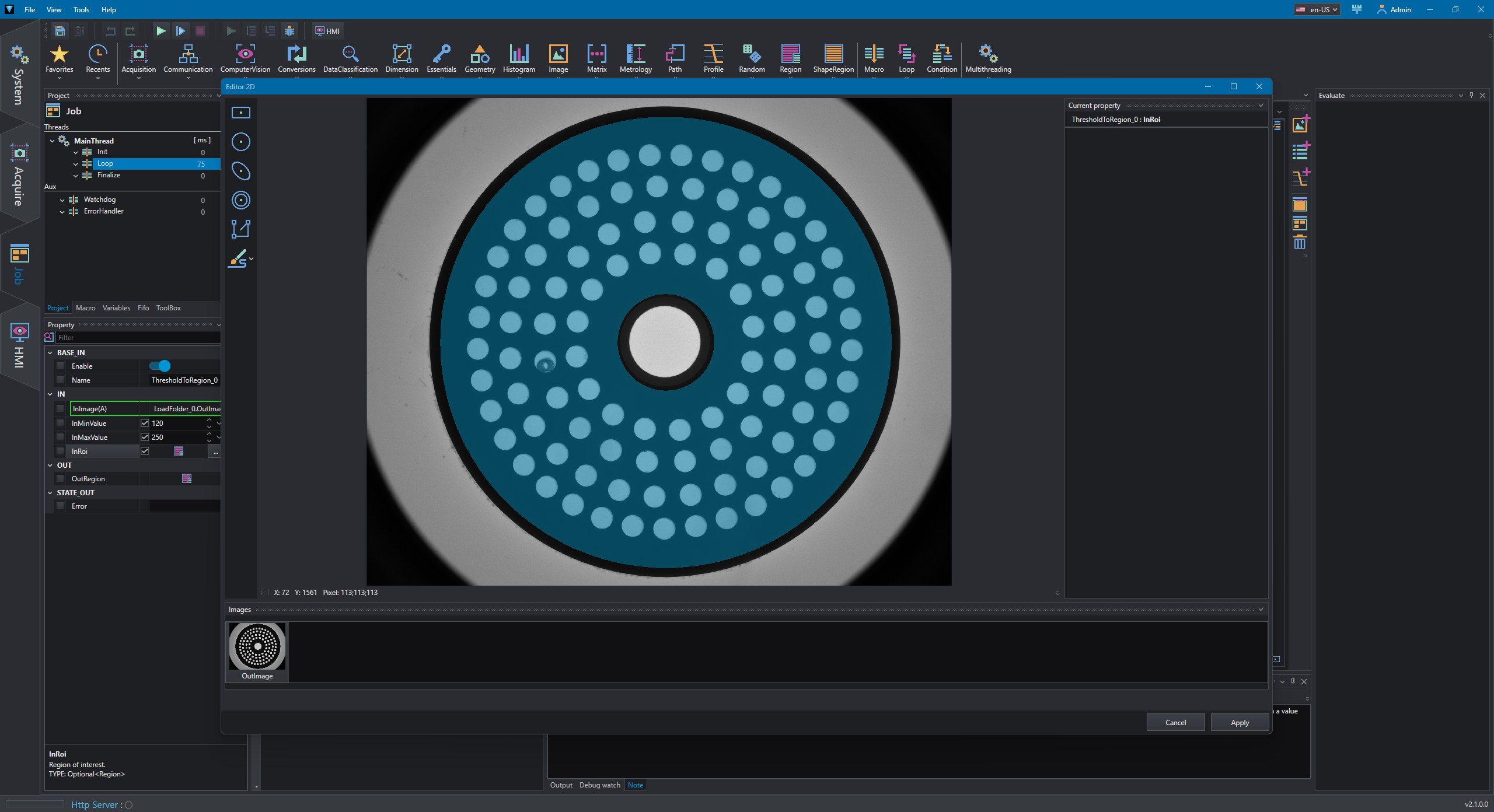
Region morphology operations are used to reduce noise in extracted region in order to fill gaps and making region more compact; in this case Dilate and Erode are used. The effect can be seen in following picture, where the green pixels are obtained after the morphology has been applied.
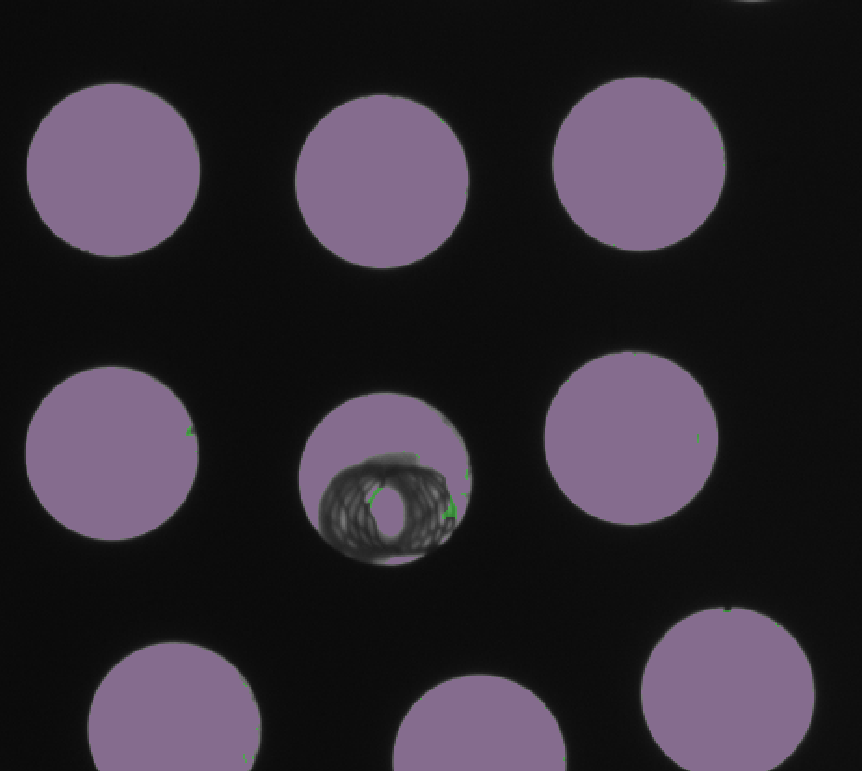
The tool SplitIntoBlobs is then used to take the processed region and divided it into separated regions (blobs); because the tool allows to specify area filtering parameters, it is possible to extract blobs which have areas smaller than a circle area (approximately 6500 pixels) and greater than a safe value in order to avoid small artifacts.
In this case, range 800-6000 is applied. The resulting blobs are highlighted by their bounding circle using GetBoundingCircle.