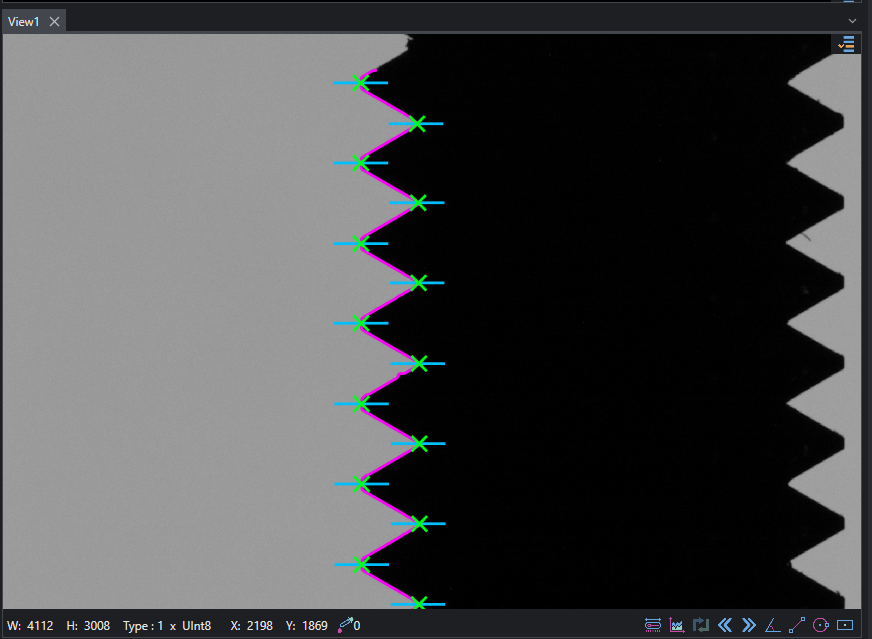
Profile
This example shows how to inspect thread's peaks and valleys using a combination of Path and Profile.
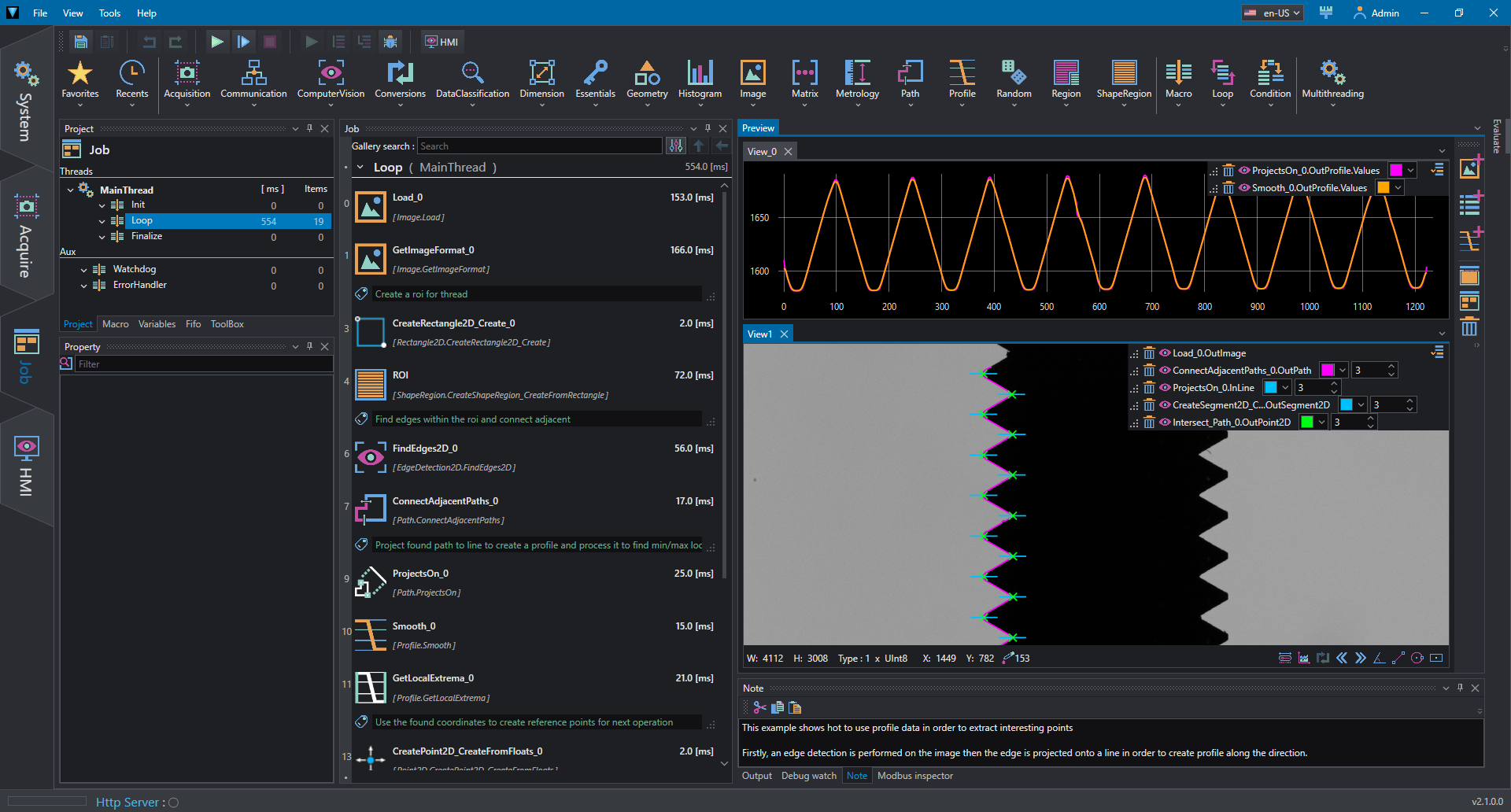
A rectangular ShapeRegion is created on the left thread and edges are found using FindEdges2D within the given ROI.
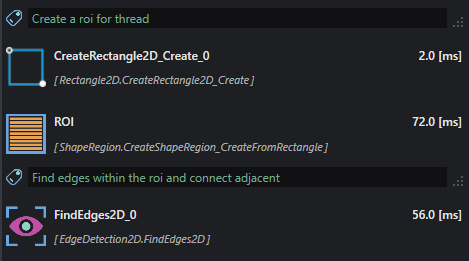
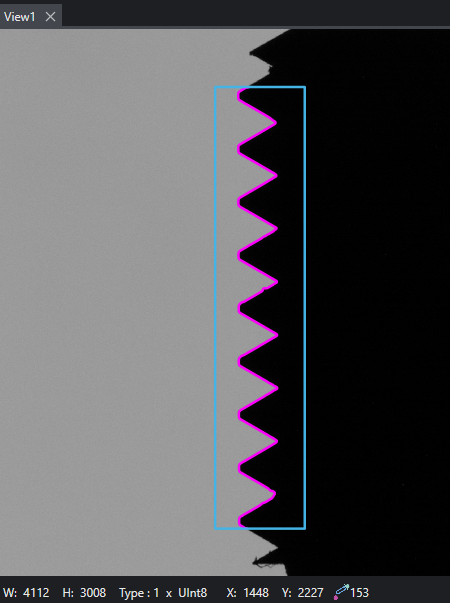
To remove undesired gaps, adjacent Paths are connected with ConnectAdjacentPath.
The resulting Path is then project on a reference line to obtain a Profile.
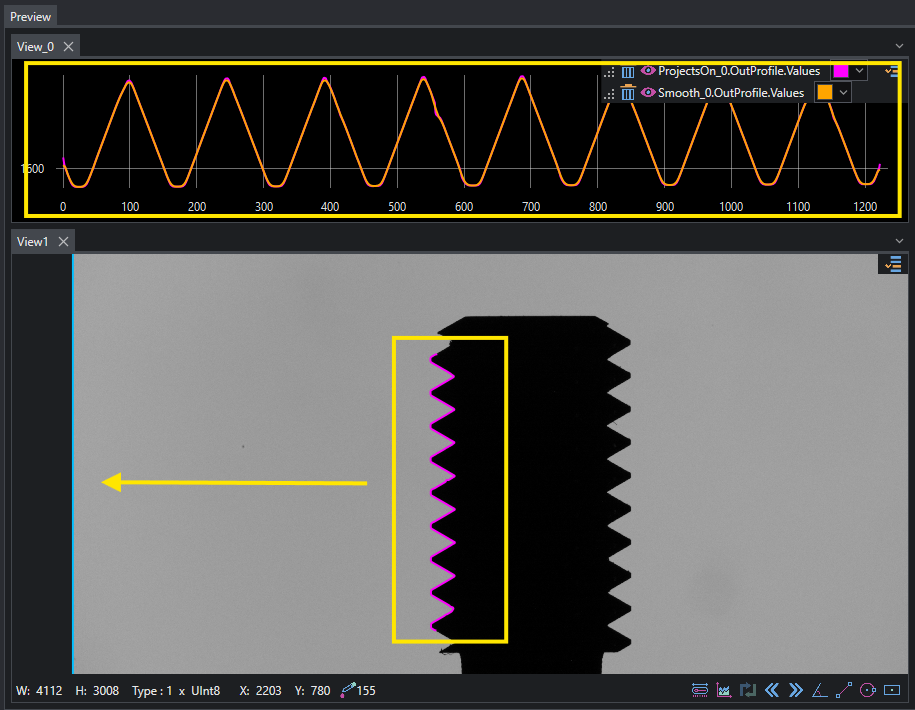
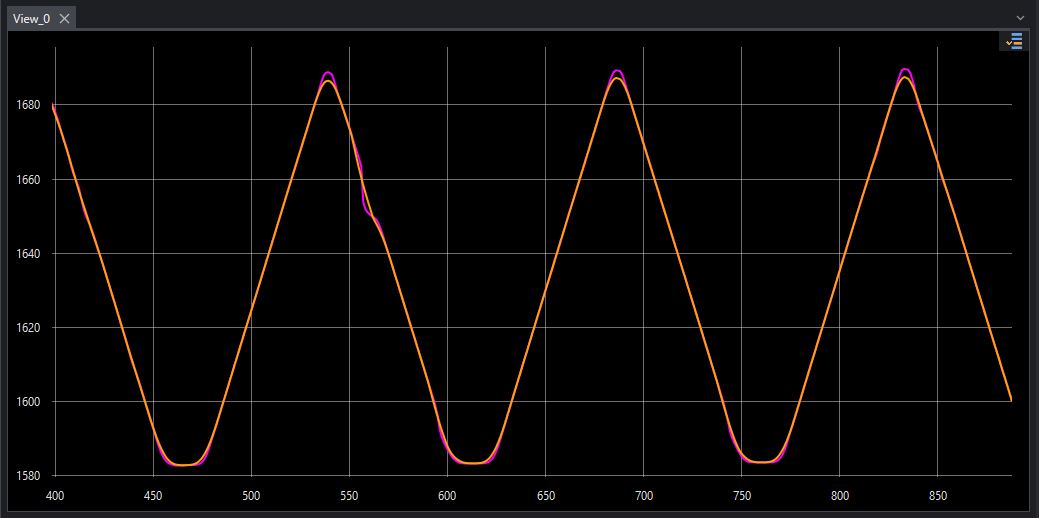
The profile is filtered using Smooth to remove noise, then local min e max points are found to detect coordinates of peaks and valleys.
Because the points are relative to profile coordinates, they must be translated using the initial rectangle's origin.
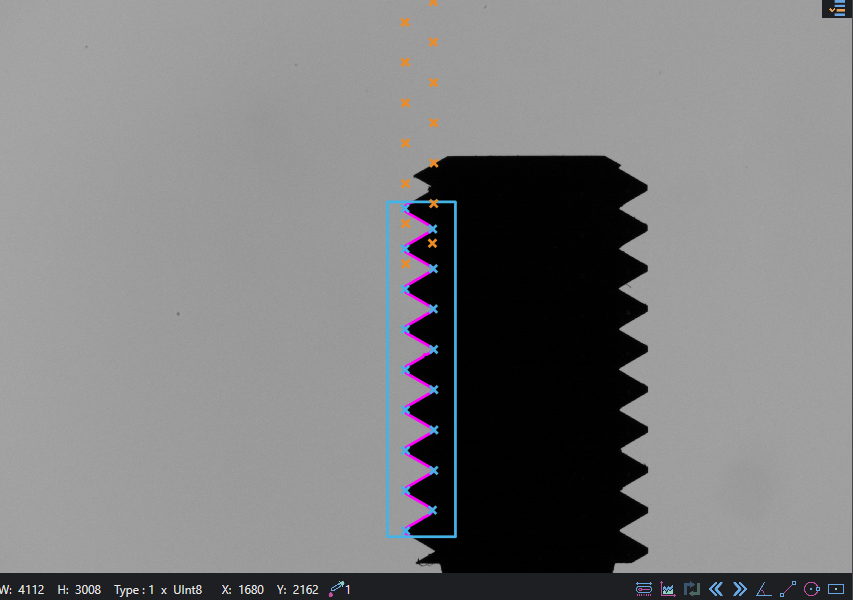
Finally, measurements are obtained by using the reference point to create scan segments across the object and extract sub-pixel precision points (after the smooth filter has been applied, the profile is slightly modified, so we must be sure to measure the exact location).