Web API Demo App
OEVIS® Web API Demo is an application that provides a Web Socket server, a RESTful API server/client and a basic MQTT Broker. It can be used to run OEVIS® examples and inspect its Web API functionalities. The GUI is split into tabs:
- Web Socket: contains command and parametrization for Web Socket server.
- REST Server/Client: contains command and parametrization for REST server/client.
- MQTT broker: contains command for basic broker.
Each tab has its own log that contains data about events.
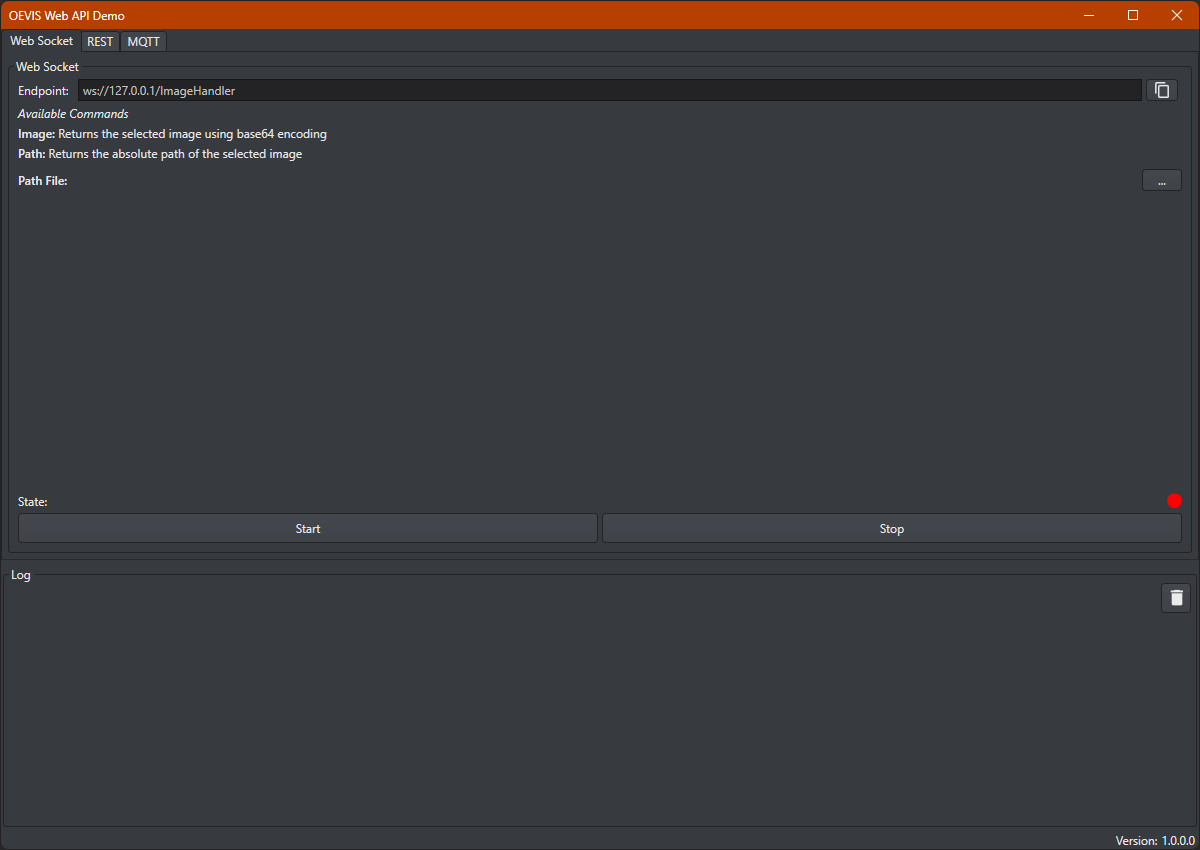
Web Socket
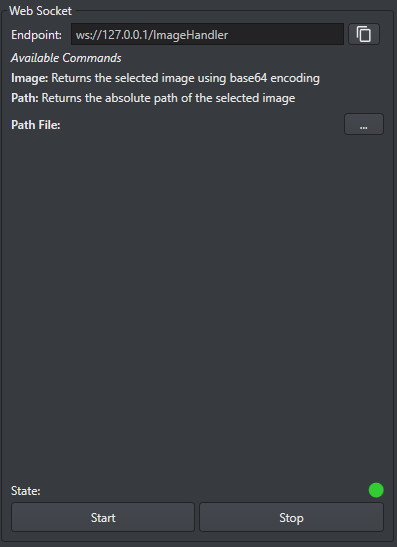
The Web Socket server is designed to send responses to command, specifically it is designed to load an image from file and to send to the requesting clients the base64 encoding of that image or the absolute path of the loaded file. The user can load the image and start / stop the server by interacting with the UI. There are three main section in this group:
- Top section: there are information about the endpoint where the server is started, under this all the available commands with a brief description are listed.
- Mid section: there is a button used to load an image from file and once the image is loaded it is displayed too.
- Bottom section: there are buttons to start / stop the server and a state led indicating whether is running or not
REST
REST Server
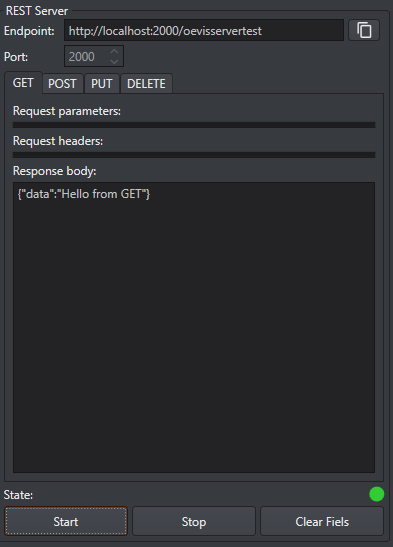
The REST server exposes four types of methods: GET, POST, PUT, DELETE. It is designed to do some debugging or some test, to do this there is a specific tab for each type of command, into this the user can find all the information about the sent request: all parameters (for GET only), headers, request / response body are shown. In this way the user can inspect the correctness of the request. This UI section can be described into three main sections:
- Top section: there are information about the endpoint where the server is started, and a field where the port parameter can be customized.
- Mid section: there are four tabs, one for each method, once a request is sent to the server all its information are shown.
- Bottom section: there are buttons to clear all fields / start / stop the server and a state led indicating whether is running or not
REST Client
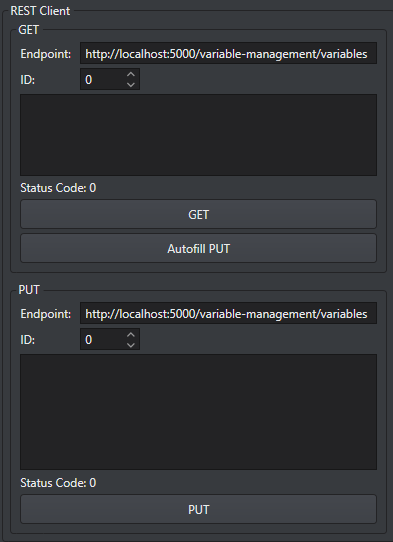
The REST client is specifically designed to work with the REST server that can be created into OEVIS®. To do this only two methods are implemented: GET and PUT. The GET method requests for a specific variable then, when a correct response is received the user can do an "Autofill" for the PUT parameter / body and send the PUT request. This UI section is split into two main sections:
- GET section: the user can change the endpoint for the server, the ID of the requested variable. Once the request is sent with the "GET" button the response body and status code are shown, if the response is correct by using the button "Autofill PUT" the PUT request's parameters are automatically filled and are ready to be modified / sent.
- PUT section: the user can change the endpoint for the server, the ID of the requested variable. The method body can be inspected / modified to change some parameters, then with the button "PUT" the request is sent and the response code is visualized.
MQTT
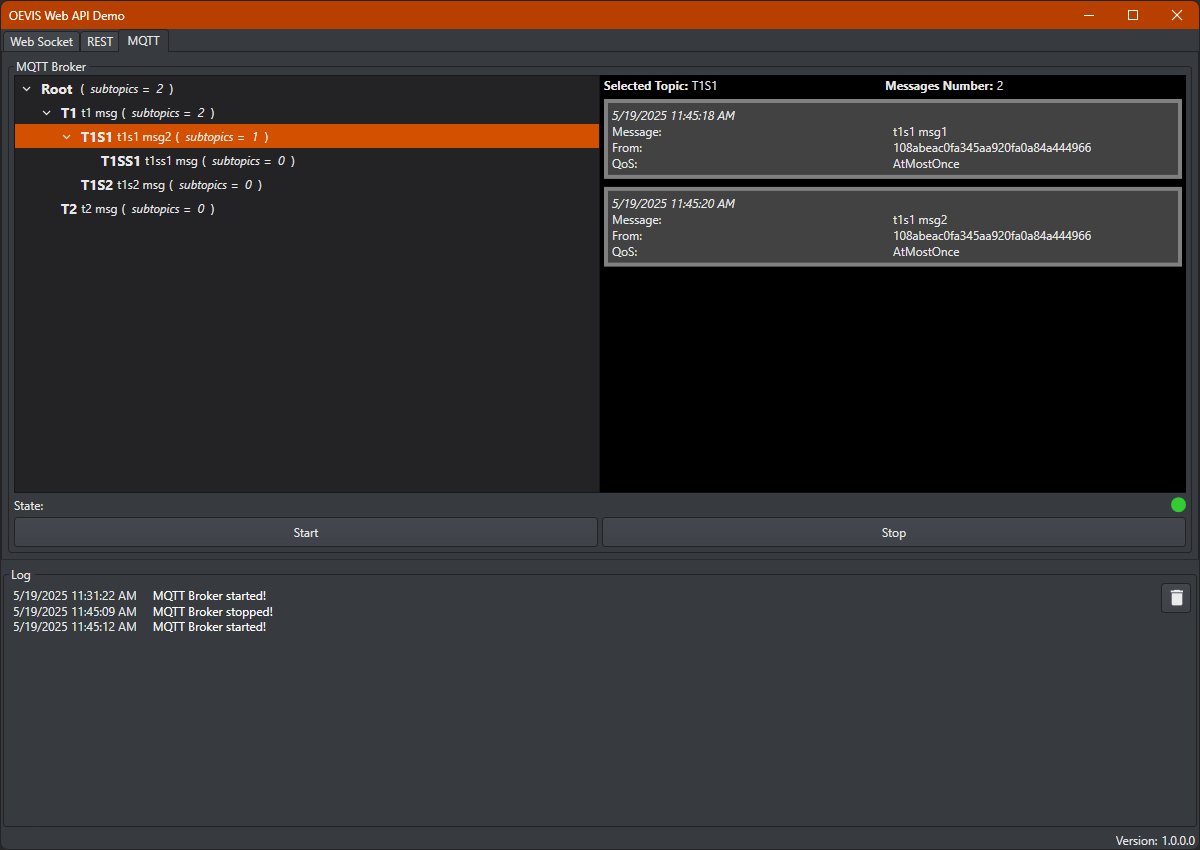
Through the MQTT broker you can practice with OEVIS®'s communication tools that relate to publishing and subscribing to topics as MQTT clients. Within OEVIS® you can find an example project on how to use the tools and use this app to test their operation without using a third-party broker. On the left side you will find the list of topics and subtopics published on the server along with the payload and the number of any subtopics, while on the right side for each topic you will find the list of messages detailing date and time received, message content, sender id, QoS required. At the base you will find the status indication (green led = broker active, red led = broker deactivated) as well as START and STOP buttons to activate/deactivate the broker.
Log
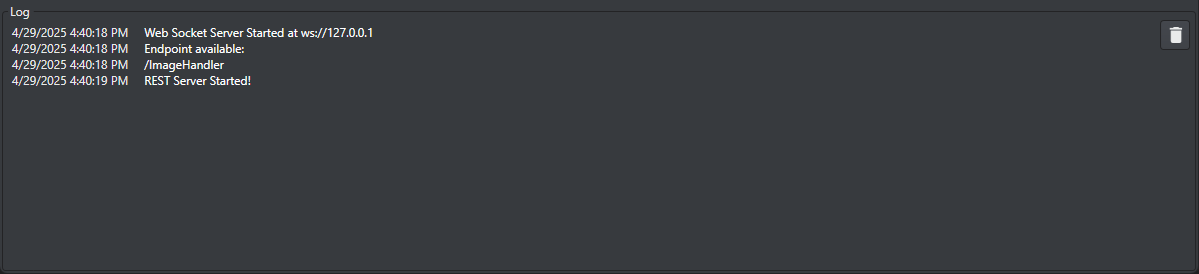
This section shows logs and information about events occurring during the app usage and information exchange. With the button on the right all the logs can be cleared.